I only learn about delays when someone asks.
Updates sit across spreadsheets, messages, and meetings. Risks appear only after delivery dates move.
Supista Projects
Project management software for planning and controlling delivery. Track owners, budgets, approvals, workloads, and deadlines in one system.
SOLUTION
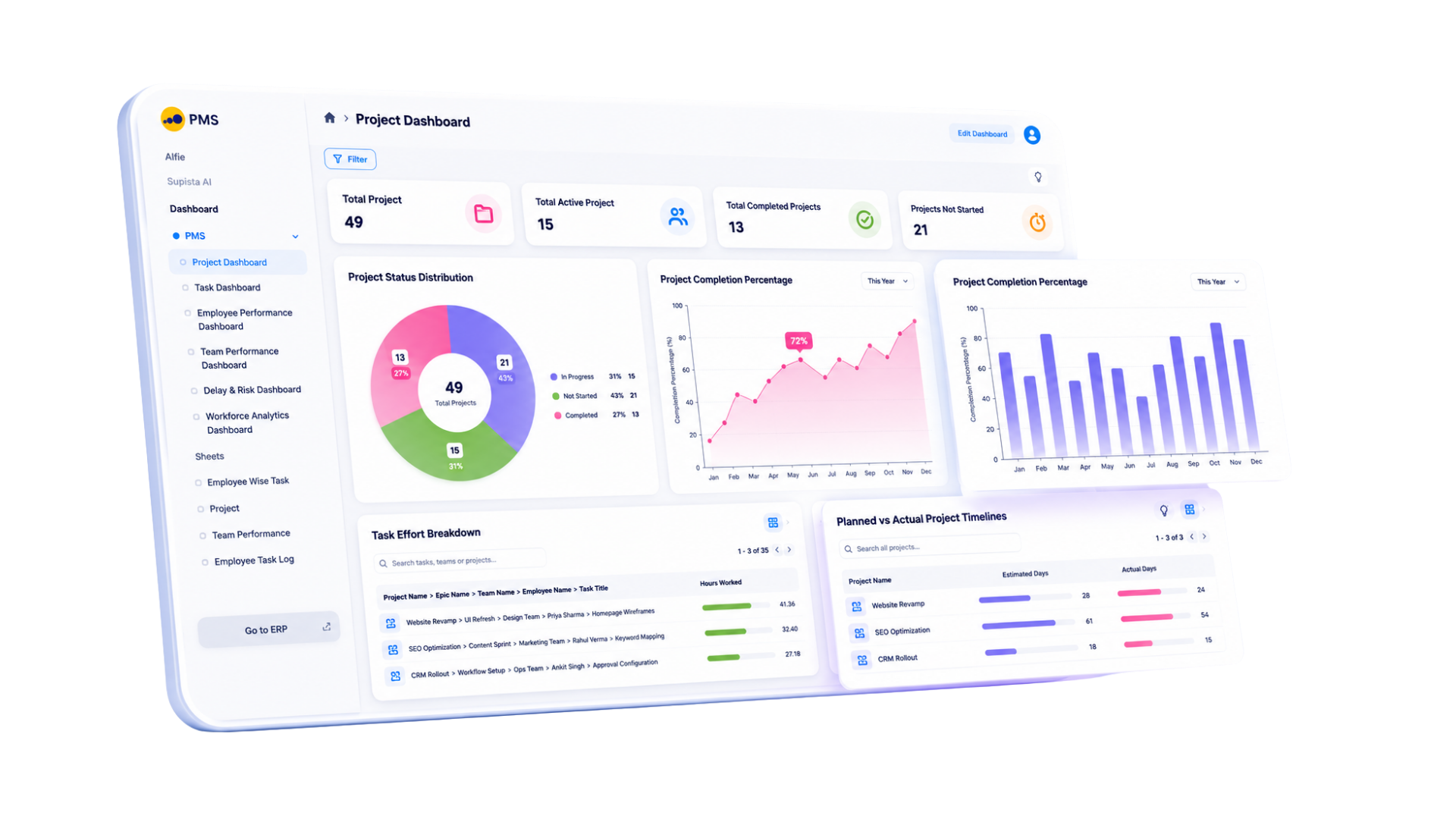
Replace scattered tasks, manual follow-ups, and separate cost sheets with one connected project workspace. Supista gives every project a clear owner, measurable progress, controlled costs, and structured approvals.
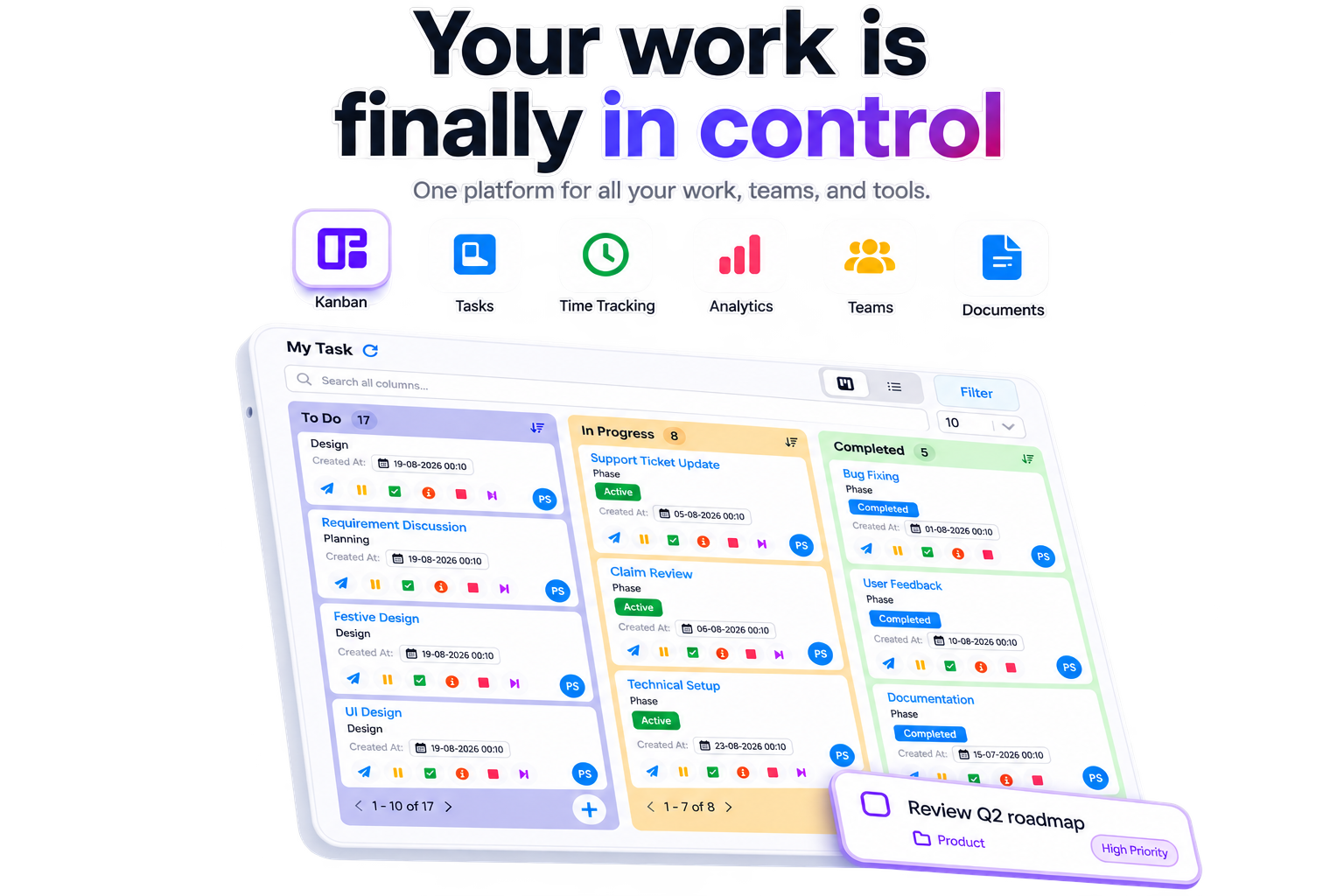
Unclear ownership, hidden costs, and delayed approvals create delivery risk. Supista makes each risk visible early.
Updates sit across spreadsheets, messages, and meetings. Risks appear only after delivery dates move.
Files move through email without a defined reviewer. Teams follow old feedback and repeat completed work.
Every review begins with collecting status updates. Managers lose time needed for decisions and risk control.
A task closes without alerting the next owner. One missed handoff can delay the entire milestone.
Bring your project risks into one visible dashboard.
Book a demoSolution
Replace scattered tasks, manual follow-ups, and separate cost sheets. Control planning and delivery from one project tracking system.
Nobody wonders who is doing this again.
Deadlines do not slip because someone forgot to follow up.
Rework ends when sign-off is structured.
Spot cost variance before it erodes project margin.
Managers lead, not chase.
See where delivery effort exceeds the original plan.
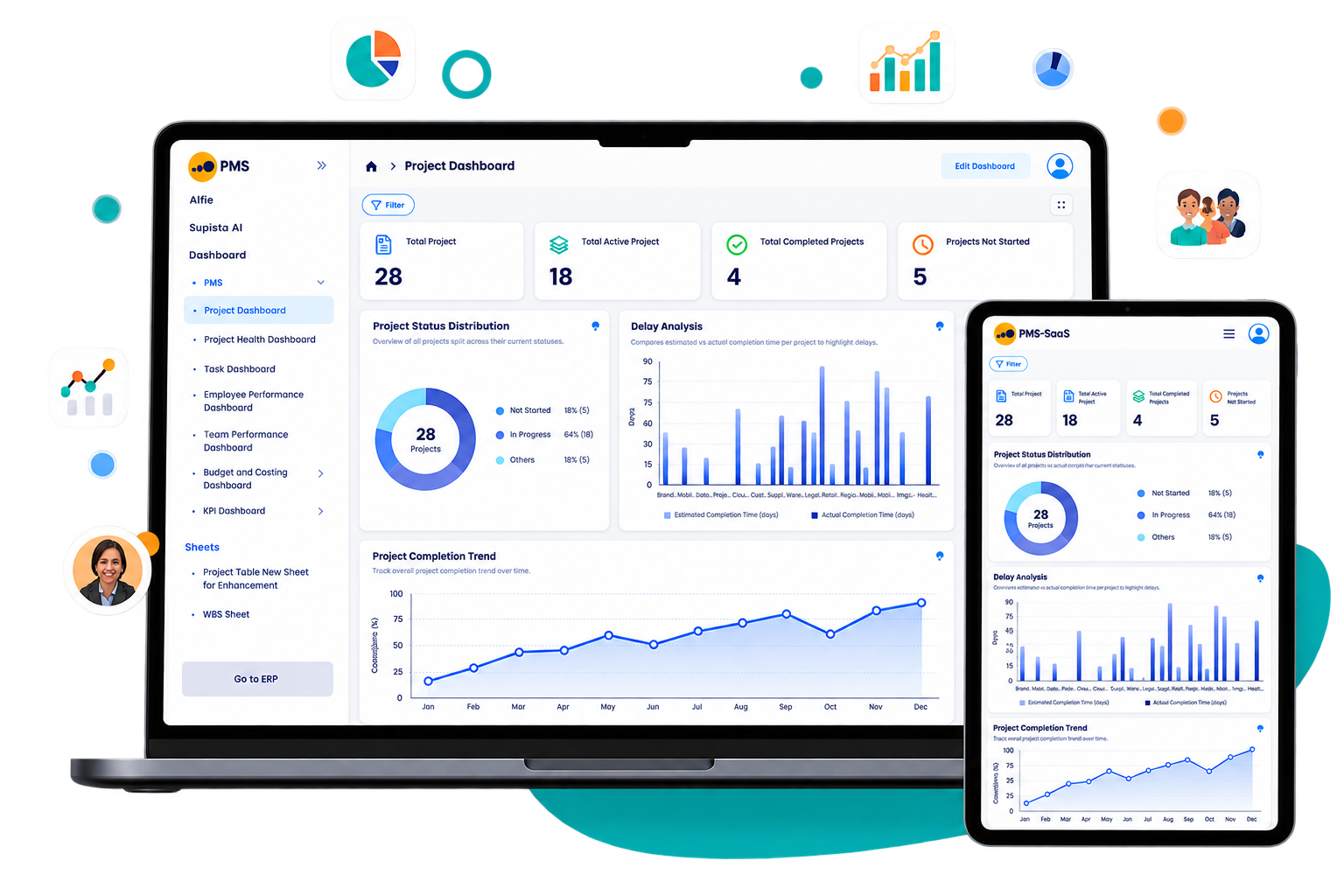
View progress, workload, planned effort, actual effort, and cost variance. Ask project questions or manage tasks through ChatGPT and Claude.
Industry use cases
See how agencies, manufacturers, and government consultants control delivery, costs, approvals, and reporting.
A creative agency connects cross-functional teams in Supista Projects so briefs, handoffs, feedback, and approved changes stay visible from planning to production.
An industrial manufacturer uses Supista Projects to oversee capital projects, product launches, finance reviews, approvals, and delivery risks from one connected view.
A government consulting firm coordinates research, events, documentation, and client reporting in Supista Projects while protecting internal access and compliance records.
How project planning works
Supista project planning software connects planning, workflow automation, and delivery control. Manage tasks, costs, approvals, and accountability in one place.
Set stages, owners, budgets, deadlines, and approval paths from a reusable template. Import existing tasks and get your team moving faster.
Watch Project Creation on YouTubeSet reminders, recurring tasks, approvals, escalations, and handoffs once. Supista follows up with the right person at the right time.
Watch Recurring Tasks on YouTubeSee progress, budget versus actual cost, workload, and pending approvals in one dashboard. Check the audit trail behind every change and decision.
Watch Consolidated Work Log Report on YouTubeSupista Projects Pricing
Pay for each active user. Choose monthly billing or a lower annual rate.
Compare project management features.
per user, per month
Use monthly billing while your team validates workflows and adoption across real projects. Move to annual billing when ready for the lower rate.
Get 20 specialist hours once during setup. Afterward, use AI-assisted customization to adapt forms and workflows without experienced developers.
Additional customization
After the one-time setup allowance, optional specialist customization is billed per hour. Teams can use AI-assisted configuration for many ongoing changes.
Supista documentation
Follow the official playlist for setup, configuration, and daily use. Revisit each guide whenever your team needs support.
Customer experience
Project leaders use Supista to connect work that previously moved across separate teams, files, approvals, and reporting cycles.
“Our coding, branding, and digital marketing teams finally work out of one place — Supista. Nothing slips through the cracks anymore. Priorities are clear, handoffs actually happen, and we're catching issues before they ever reach production.”
“With plant expansion, product launches, and finance reviews all moving at once, Supista gives us one place to track approvals, follow-ups, and deadline risk.”
“We run research, events, and documentation on tight timelines. Supista helps our team stay aligned so the work stays polished and nothing slips between clients.”
FAQ
Find direct answers about setup, permissions, tracking, pricing, customization, and audit history.
Supista Projects is project management software for planning and controlling delivery. It connects tasks, budgets, approvals, workloads, documents, and deadlines.
Yes. Import existing tasks and organize them into project templates. Teams can also start with a new project.
Your team confirms its stages, owners, approvals, and reminder rules. The first project can be configured in one focused session.
Yes. Small teams can begin with one workflow and expand gradually. Templates and automated follow-ups reduce administration.
No. Role-aware access lets you control which projects, tasks, approvals, and reports each person can view or manage.
Supista sends rule-based reminders and escalates overdue work. The delay remains visible until the responsible owner acts.
Yes. Compare budgeted and actual spend for every project. Managers can identify cost variance before margins decline.
Yes. Compare planned and actual effort by task, user, or project. Utilisation views reveal workload and margin pressure.
Yes. Add clients or contractors to approval workflows. Their decisions remain linked to each task, file, and stage.
Current monthly and annual subscription rates are listed in the Project Management pricing section. View pricing
The 20 hours are included once during initial setup at no extra charge. Use them to configure project and task forms, custom fields, workflows, role-based permissions, approval paths, automations, dashboards, and reports. The exact scope depends on complexity, and AI-assisted configuration can handle many ongoing changes afterward. View pricing
Yes. Supista records actions, approvals, and status changes with timestamps. Every project keeps a clear audit trail.
See how a deadline alert fires before a client ever notices the delay.
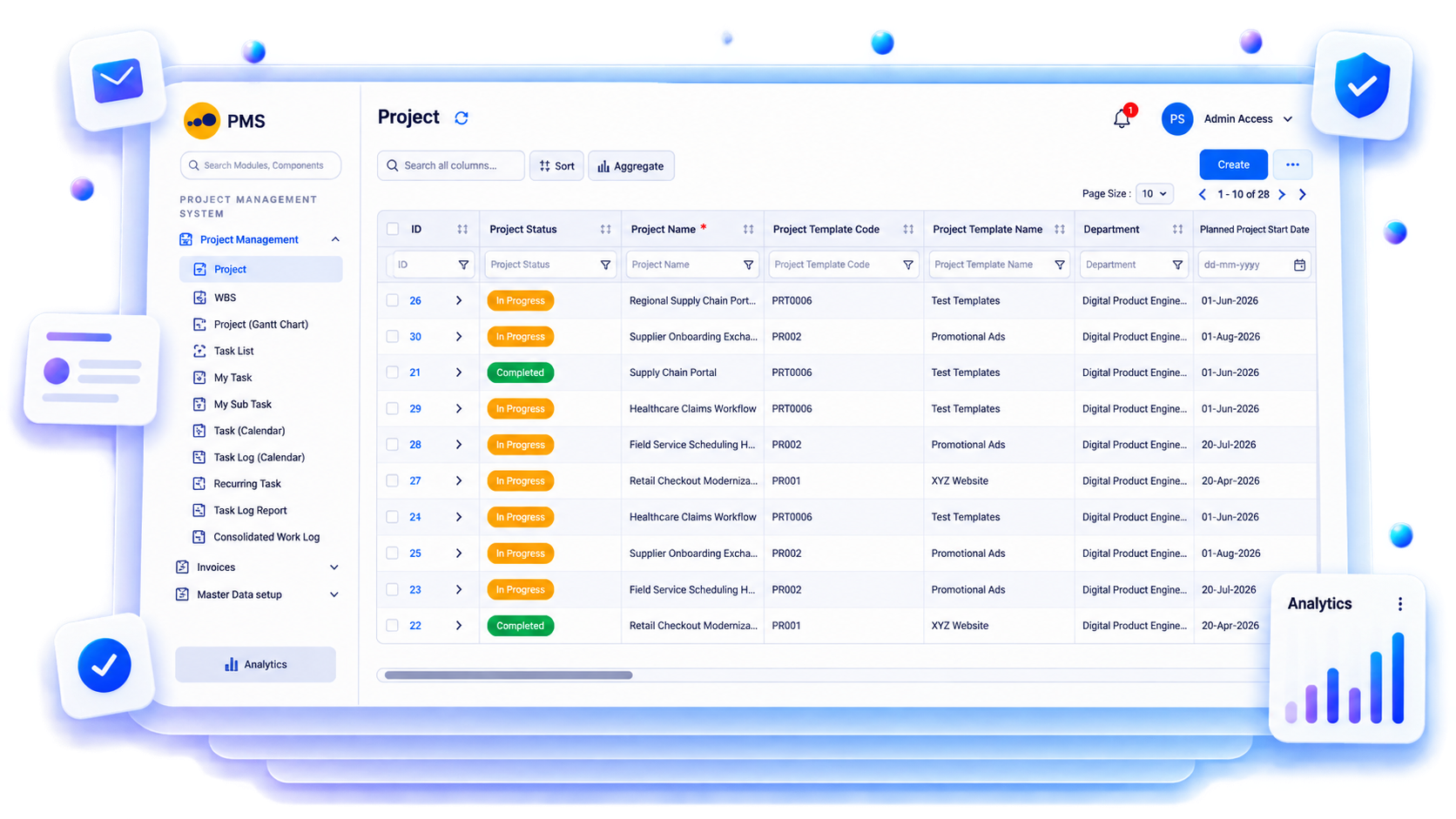
Give each owner a clear next action. Give managers one view of delivery, workload, cost, and risk.
Book a free strategy session with our Automation Experts and discover how Supista’s AI-Composable ERP can transform your operations into a scalable and intelligent system.