
Budget-friendly seats
Start at US$2.96/user/month, billed annually.
Project management software comparison
See how nine project management platforms handle planning, delivery, costs, timesheets, automation, custom RBAC, and MCP. Supista includes every compared capability by default for growing, cross-functional teams.
Feature and pricing research reviewed August 2026
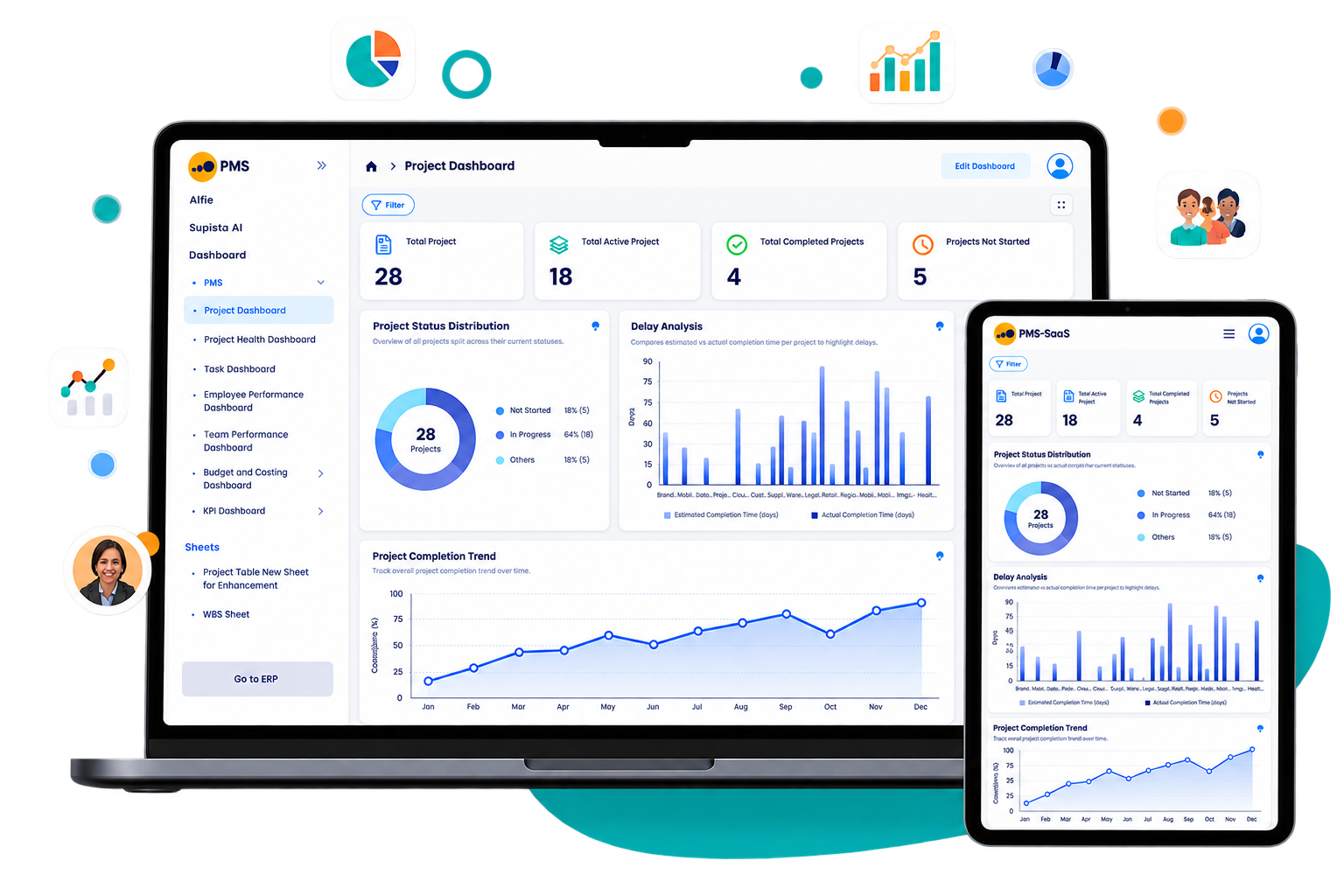
See the product controls
These current Supista Projects views show the delivery controls referenced throughout the comparisons.
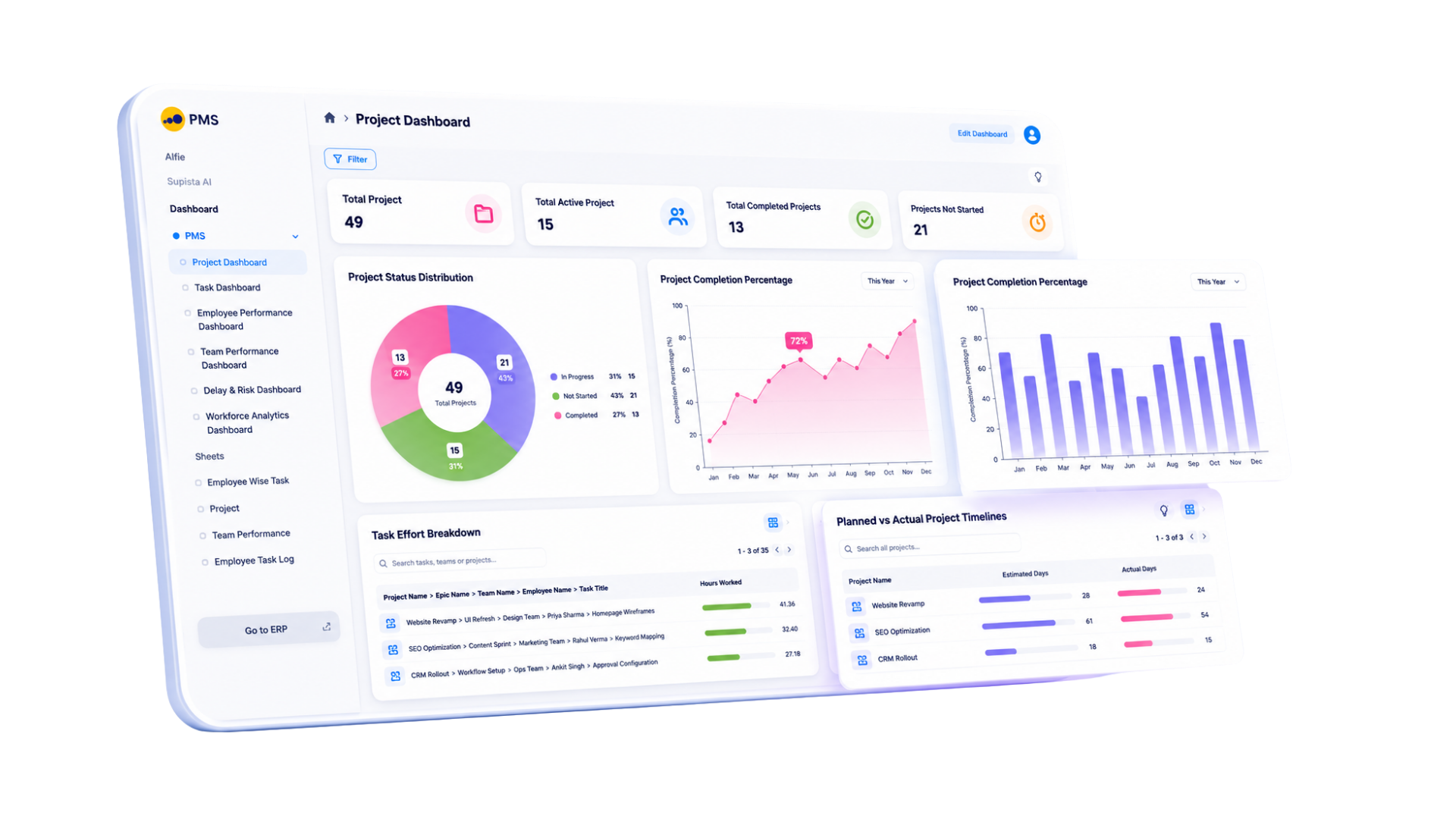
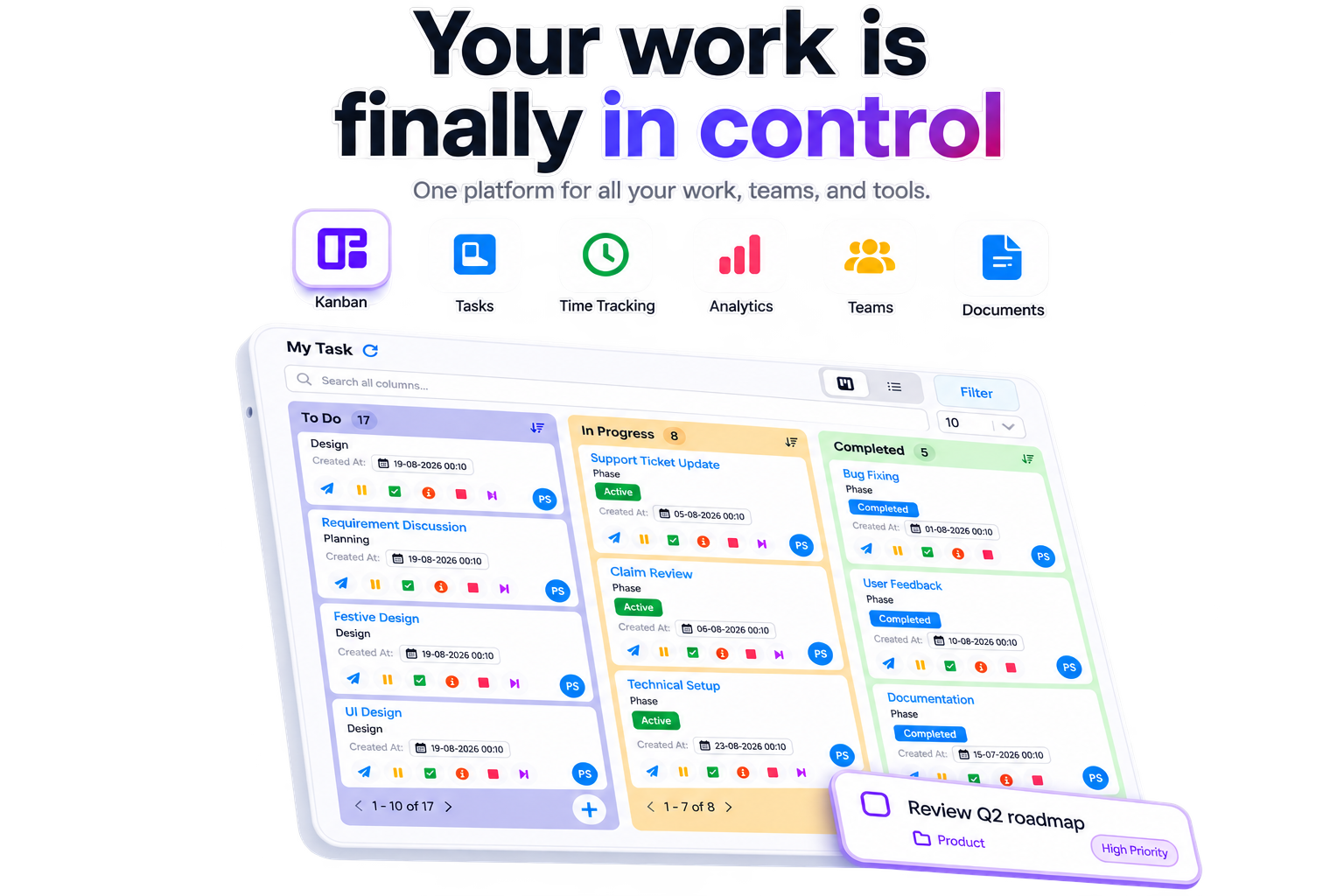
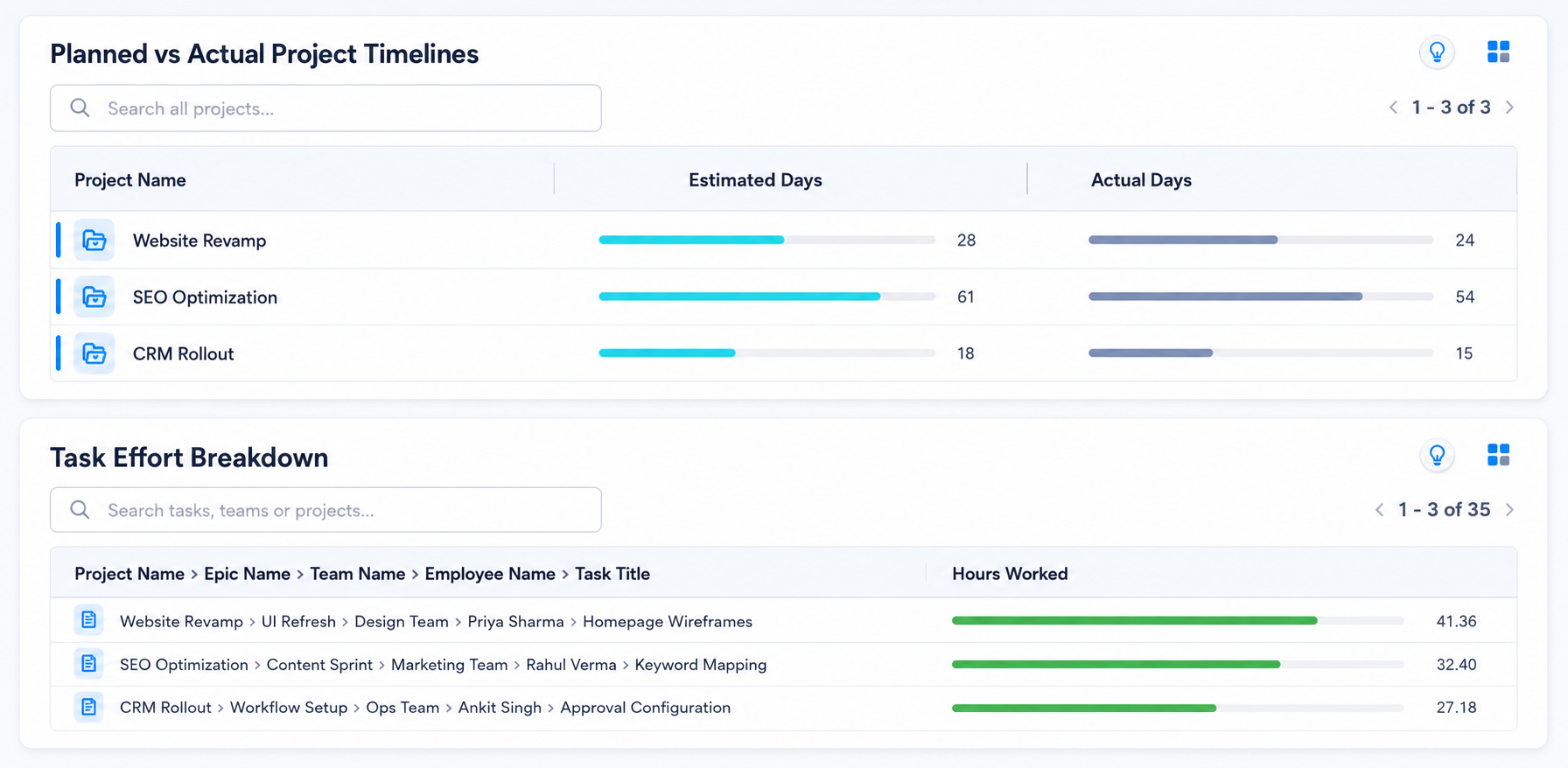
Detailed PMS feature comparison
Review what is included, gated behind a higher tier, supplied through an add-on, or dependent on custom development. Supista includes every listed capability by default.
Related walkthrough: Build a work breakdown structure
| Capability | Supista Projects | Jira | Asana | ClickUp | monday.com | Trello | Zoho Projects | Wrike | Basecamp |
|---|---|---|---|---|---|---|---|---|---|
| Kanban boardsMove work through visual stages with owners, priority, dates, and status. | IncludedConfigurable stages, cards, filters, and task controls. Included by default. | IncludedNative boards support agile and configurable issue workflows. | IncludedBoard view is available in paid project plans. | IncludedBoard view is available with grouped statuses and fields. | IncludedKanban view is available; depth depends on board setup. | IncludedCore product experience with cards, lists, and boards. | IncludedKanban task view is available in paid plans. | IncludedBoard view is available for visual workflow management. | IncludedCard Table provides a simple visual workflow. |
| TasksCreate assigned work with dates, status, priority, files, and comments. | IncludedStructured tasks connect to projects, teams, costs, and approvals. Included by default. | IncludedIssues support owners, dates, priority, files, comments, and custom fields. | IncludedCore tasks include owners, dates, fields, files, and comments. | IncludedCore tasks include statuses, assignees, fields, and relationships. | IncludedItems can model tasks with owners, dates, statuses, and updates. | IncludedCards represent tasks with members, dates, labels, and attachments. | IncludedTasks include owners, dates, priority, status, and work hours. | IncludedTasks include owners, dates, status, files, and approvals. | IncludedTo-dos support assignees, dates, notes, comments, and files. |
| SubtasksBreak deliverables into independently owned and tracked work items. | IncludedNative subtasks carry owners, dates, status, and audit history. Included by default. | IncludedNative subtasks sit beneath standard issues. | IncludedNative subtasks are available inside tasks. | IncludedNested subtasks are available; deeper nesting varies by plan. | IncludedSubitems support owners, status, dates, and mirrored fields. | Limited native supportChecklists cover simple sub-work; full task hierarchy needs Power-Ups or another structure. | IncludedNative subtasks are available in project task lists. | IncludedNative subtasks support hierarchy and independent ownership. | Limited native supportTo-do lists and grouped items cover simple breakdowns without deep hierarchy. |
| Gantt chartPlan timelines, dependencies, milestones, and schedule movement visually. | IncludedNative Gantt planning connects project dates and dependencies. Included by default. | Higher tierAdvanced cross-team planning requires Premium plans or marketplace apps. | IncludedTimeline and Gantt views are included in paid tiers. | IncludedGantt view is available with plan-based usage limits. | Higher tierGantt view starts above the Basic plan. | Higher tierTimeline view requires Premium or Enterprise. | Higher tierAdvanced Gantt capabilities depend on the paid tier. | IncludedInteractive Gantt charts are available in paid plans. | Add-on / integrationNo native Gantt; connect an external tool or integration. |
| Project planningDefine scope, stages, owners, dates, budgets, and delivery baselines. | IncludedScope, schedule, effort, team, and budget live in one project record. Included by default. | IncludedBacklogs, boards, timelines, versions, and releases support software planning. | IncludedProjects, templates, milestones, and dependencies support delivery planning. | IncludedSpaces, folders, lists, templates, goals, and views support planning. | IncludedBoards and templates support planning; financial baselines need configuration. | Limited native supportStrong for lightweight board planning; formal baselines need add-ons or custom fields. | IncludedProjects, milestones, task lists, budgets, and templates support planning. | IncludedProjects, blueprints, request forms, and views support structured planning. | Limited native supportTo-dos, schedules, messages, files, and Hill Charts support lightweight planning. |
| Calendar viewReview tasks and milestones by day, week, or month. | IncludedNative task and task-log calendars support delivery scheduling. Included by default. | Higher tierCalendar options depend on project type, plan, and installed Atlassian apps. | IncludedProject calendar view is available in paid plans. | IncludedCalendar view is available; advanced controls vary by tier. | Higher tierCalendar view starts above the Basic plan. | Higher tierWorkspace Calendar and Calendar view require Premium; basic due-date calendar can use a Power-Up. | IncludedCalendar view is available for tasks, milestones, and events. | Higher tierCalendar capabilities and broader sharing depend on tier. | IncludedSchedules and cross-project calendar views support dated work. |
| Dependencies and milestonesLink work, expose blockers, and protect committed dates. | IncludedDependencies, WBS stages, milestones, and delay signals stay connected. Included by default. | Higher tierIssue links are native; advanced dependency planning requires Premium or apps. | IncludedTask dependencies and milestones are available in paid plans. | IncludedDependencies, relationships, milestones, and critical paths are supported. | Higher tierDependencies and timeline controls require Standard or higher. | Add-on / integrationRequires Power-Ups, linked cards, or custom workflow conventions. | IncludedDependencies, milestones, critical path, and baselines are supported in paid plans. | IncludedDependencies, milestones, critical path, and schedule controls are supported. | Add-on / integrationRequires conventions, integrations, or another planning tool. |
| Recurring workCreate repeated tasks and operational routines automatically. | IncludedNative recurring tasks retain the configured owners and controls. Included by default. | IncludedAutomation can create recurring issues within plan execution limits. | IncludedRecurring tasks are available natively. | IncludedRecurring tasks support schedules and recurrence options. | Higher tierRecurring work is commonly configured through automations above Basic. | IncludedButler can schedule recurring cards within plan quotas. | IncludedRecurring tasks are available in paid plans. | IncludedRecurring tasks are available natively. | IncludedRecurring to-dos and automatic check-ins cover repeated routines. |
| Workload and capacityCompare assignments and planned effort with available team capacity. | IncludedWorkload and planned-versus-actual effort are visible by person and team. Included by default. | Higher tierAdvanced planning and capacity management require Premium or marketplace apps. | Higher tierWorkload requires Advanced or a higher plan. | Higher tierWorkload view is available, with capacity controls expanding on higher plans. | Higher tierWorkload view and resource controls require higher plans. | Add-on / integrationNo native capacity planning; use Power-Ups or an external resource tool. | Higher tierResource utilization and workload depth depend on plan. | Higher tierAdvanced resource and capacity planning requires upper tiers such as Pinnacle. | Add-on / integrationRequires an external resource-planning or reporting integration. |
Plan and deliver feature availability reviewed August 2026. Vendor packaging can change.
Configurable stages, cards, filters, and task controls. Included by default.
Structured tasks connect to projects, teams, costs, and approvals. Included by default.
Native subtasks carry owners, dates, status, and audit history. Included by default.
Checklists cover simple sub-work; full task hierarchy needs Power-Ups or another structure.
To-do lists and grouped items cover simple breakdowns without deep hierarchy.
Native Gantt planning connects project dates and dependencies. Included by default.
Scope, schedule, effort, team, and budget live in one project record. Included by default.
Strong for lightweight board planning; formal baselines need add-ons or custom fields.
To-dos, schedules, messages, files, and Hill Charts support lightweight planning.
Native task and task-log calendars support delivery scheduling. Included by default.
Workspace Calendar and Calendar view require Premium; basic due-date calendar can use a Power-Up.
Dependencies, WBS stages, milestones, and delay signals stay connected. Included by default.
Dependencies, milestones, critical path, and baselines are supported in paid plans.
Native recurring tasks retain the configured owners and controls. Included by default.
Workload and planned-versus-actual effort are visible by person and team. Included by default.
Related walkthrough: Review consolidated work logs
| Capability | Supista Projects | Jira | Asana | ClickUp | monday.com | Trello | Zoho Projects | Wrike | Basecamp |
|---|---|---|---|---|---|---|---|---|---|
| Customizable dashboardsArrange KPIs, charts, filters, tabs, themes, and role-specific views. | IncludedBuild dashboards with configurable layouts, charts, filters, tabs, themes, and access. Included by default. | IncludedNative dashboards use configurable gadgets; advanced BI may require apps. | Higher tierDashboards are available in paid plans; portfolio and advanced reporting require higher tiers. | Higher tierDashboards are available, while advanced cards, usage, and reporting expand by tier. | Higher tierDashboards start above Basic; connected-board limits increase by plan. | Higher tierDashboard view requires Premium or Enterprise and remains board-oriented. | Higher tierDashboards are available; advanced and portfolio analytics vary by tier. | Higher tierDashboards are available in paid tiers; advanced analytics requires higher plans or add-ons. | Limited native supportHome, project, activity, and Hill Chart views are not a full dashboard builder. |
| Portfolio reportingSee health, progress, deadlines, workload, and exceptions across projects. | IncludedPortfolio KPIs and drill-down views cover every active project. Included by default. | Higher tierPlans and cross-team portfolio planning require Premium or Enterprise. | Higher tierPortfolios and portfolio workload require Advanced or higher. | IncludedPortfolio cards, dashboards, and grouped views support cross-project reporting. | Higher tierMulti-board dashboards and portfolio products depend on tier and setup. | Higher tierWorkspace views require Premium; portfolio reporting remains limited. | Higher tierPortfolio dashboards and cross-project reporting vary by plan. | Higher tierCross-project dashboards are available; advanced analytics sits on higher tiers. | Limited native supportCross-project visibility is simple; advanced portfolio reporting needs another tool. |
| Risk and delay insightsSurface schedule risk, budget exposure, bottlenecks, and exceptions early. | IncludedAI-assisted insights flag project delay, budget overrun, and performance outliers. Included by default. | Custom setup / developmentConfigure fields, automation, dashboards, Rovo, or marketplace analytics. | Higher tierGoals, portfolios, workload, and intelligence features require higher tiers or AI packaging. | Higher tierDashboards and paid AI can summarize risk; the control model requires configuration. | Higher tierDashboards, formulas, automations, and AI credits can model risk on higher tiers. | Custom setup / developmentRequires custom fields, Power-Ups, automation, or external analytics. | Higher tierReports, earned value, risk records, and Zia capabilities depend on plan and setup. | Higher tierRisk prediction and advanced analytics depend on plan and Work Intelligence access. | Add-on / integrationRequires manual review, integrations, or external analytics. |
| Cost analysisCompare project budget, committed spend, actual cost, and remaining budget. | IncludedNative budget-versus-actual, WBS expense, overhead, and remaining-budget controls. Included by default. | Add-on / integrationRequires marketplace time/cost apps, custom fields, or finance integrations. | Add-on / integrationProject budgets require custom fields, integrations, or a finance add-on. | Custom setup / developmentModel with currency fields, formulas, dashboards, and integrations. | Custom setup / developmentModel with boards, formulas, dashboards, and connected finance data. | Add-on / integrationNo native project cost control; use Custom Fields, Power-Ups, or another system. | Higher tierBudgeting, cost rates, and earned-value controls are available on paid tiers. | Higher tierAdvanced budgeting is packaged on custom-priced upper tiers such as Pinnacle. | Add-on / integrationRequires an accounting, budgeting, or reporting integration. |
| Timesheets and effortCapture time and compare planned effort with actual work. | IncludedTimesheets, task logs, and planned-versus-actual effort are native. Included by default. | Add-on / integrationTime estimates and logs exist; full timesheets commonly require a marketplace app. | Higher tierNative time tracking requires Advanced or higher. | IncludedNative time tracking and timesheets are available on paid plans. | Higher tierTime tracking requires Pro or Enterprise. | Add-on / integrationRequires a Power-Up or external time-tracking integration. | IncludedTimesheets and time logs are available in paid project plans. | Higher tierTime tracking and timesheets require Business or higher. | Add-on / integrationRequires a time-tracking integration or separate application. |
| Planned vs actualCompare baseline dates, completion time, effort, and spend with actuals. | IncludedNative timeline, effort, and cost variance views share one project model. Included by default. | Add-on / integrationSchedule, effort, and cost variance require configuration and often marketplace apps. | Custom setup / developmentRequires baselines, custom fields, reporting, and often external cost data. | Custom setup / developmentCan be configured with estimates, time, fields, formulas, and dashboards. | Custom setup / developmentCan be modeled with baseline fields, formulas, time tracking, and dashboards. | Add-on / integrationRequires custom fields, Power-Ups, and external reporting. | Higher tierBaseline, earned-value, timesheet, and budget controls depend on paid tier. | Higher tierSchedule and effort controls are available; full financial variance needs upper tiers. | Add-on / integrationRequires external timeline, time, and cost reporting. |
Measure and control feature availability reviewed August 2026. Vendor packaging can change.
Build dashboards with configurable layouts, charts, filters, tabs, themes, and access. Included by default.
Dashboards are available in paid plans; portfolio and advanced reporting require higher tiers.
Dashboards are available, while advanced cards, usage, and reporting expand by tier.
Dashboards are available in paid tiers; advanced analytics requires higher plans or add-ons.
Home, project, activity, and Hill Chart views are not a full dashboard builder.
Portfolio KPIs and drill-down views cover every active project. Included by default.
Cross-project visibility is simple; advanced portfolio reporting needs another tool.
AI-assisted insights flag project delay, budget overrun, and performance outliers. Included by default.
Configure fields, automation, dashboards, Rovo, or marketplace analytics.
Goals, portfolios, workload, and intelligence features require higher tiers or AI packaging.
Dashboards and paid AI can summarize risk; the control model requires configuration.
Dashboards, formulas, automations, and AI credits can model risk on higher tiers.
Requires custom fields, Power-Ups, automation, or external analytics.
Reports, earned value, risk records, and Zia capabilities depend on plan and setup.
Native budget-versus-actual, WBS expense, overhead, and remaining-budget controls. Included by default.
Requires marketplace time/cost apps, custom fields, or finance integrations.
Model with currency fields, formulas, dashboards, and integrations.
Model with boards, formulas, dashboards, and connected finance data.
No native project cost control; use Custom Fields, Power-Ups, or another system.
Budgeting, cost rates, and earned-value controls are available on paid tiers.
Timesheets, task logs, and planned-versus-actual effort are native. Included by default.
Time estimates and logs exist; full timesheets commonly require a marketplace app.
Native timeline, effort, and cost variance views share one project model. Included by default.
Schedule, effort, and cost variance require configuration and often marketplace apps.
Requires baselines, custom fields, reporting, and often external cost data.
Can be configured with estimates, time, fields, formulas, and dashboards.
Can be modeled with baseline fields, formulas, time tracking, and dashboards.
Schedule and effort controls are available; full financial variance needs upper tiers.
Related walkthrough: Use task actions in Supista Projects
| Capability | Supista Projects | Jira | Asana | ClickUp | monday.com | Trello | Zoho Projects | Wrike | Basecamp |
|---|---|---|---|---|---|---|---|---|---|
| Workflow automationsRun reminders, assignments, status changes, handoffs, and escalations. | IncludedConfigurable automations, reminders, escalations, and handoffs are native. Included by default. | IncludedAutomation rules are included with plan-based execution allowances. | IncludedRules and workflow automation are available in paid plans. | IncludedAutomations are available with plan-specific monthly limits. | Higher tierAutomations begin on Standard and allowances increase by tier. | IncludedButler automation is included with plan-based command quotas. | Higher tierWorkflow rules, blueprints, webhooks, and limits vary by plan. | Higher tierAutomation is available with action limits and advanced controls by tier. | Limited native supportAutomatic check-ins and recurring work are native; broader rule automation is limited. |
| Approvals and escalationsRoute decisions by role, capture outcomes, and escalate missed deadlines. | IncludedRole-aware approvals, rejection paths, reminders, and escalation rules are native. Included by default. | Higher tierAdvanced approvals commonly use Jira Service Management tiers or configured workflows. | Higher tierApprovals require Advanced or higher; escalation logic uses rules. | Custom setup / developmentApprovals are modeled with statuses, fields, automations, and permissions. | Custom setup / developmentApproval flows require configured boards, forms, statuses, and automations. | Add-on / integrationRequires Butler, Power-Ups, or custom board conventions. | Higher tierBlueprint and approval depth depend on plan and configuration. | Higher tierApprovals are available on higher tiers and can include external reviewers. | Custom setup / developmentRequires workflow conventions, integrations, or custom development. |
| Custom RBACControl modules, records, fields, actions, approvals, and reports by role. | IncludedCustom role-based access can govern project data and workflow actions. Included by default. | Higher tierGranular roles, permissions, and enterprise controls depend on plan and Atlassian Guard. | Higher tierCustom roles and advanced admin controls require Enterprise tiers. | Higher tierCustom roles and granular permissions require Business Plus or Enterprise. | Higher tierAdvanced permissions, SSO, and governance require Enterprise. | Higher tierWorkspace and organization controls expand with Enterprise and Atlassian Guard. | Higher tierCustom roles, profiles, and advanced permissions require Enterprise. | Higher tierCustom access roles and advanced permissions require Enterprise tiers. | Limited native supportProject, administrator, client, and participant controls are less granular than custom RBAC. |
| Multiple email domainsSupport users, teams, or business units across more than one company domain. | IncludedMultiple approved email domains can share governed project workflows. Included by default. | Higher tierMulti-domain identity governance requires enterprise organization controls and Atlassian Guard. | Higher tierOrganization and domain administration depends on enterprise identity controls. | Higher tierMulti-domain identity, SSO, and provisioning require enterprise administration. | Higher tierMulti-domain SSO and identity governance require Enterprise configuration. | Higher tierOrganization-wide domain controls require Enterprise and Atlassian administration. | Higher tierMulti-domain identity and SSO depend on enterprise directory configuration. | Higher tierDomain, SSO, and provisioning controls require Enterprise configuration. | Limited native supportUsers can be invited broadly, but multi-domain identity governance is limited. |
| Audit historyTrace record changes, workflow decisions, approvals, and accountable users. | IncludedProject, task, approval, and workflow changes retain an operational audit trail. Included by default. | Higher tierIssue history is native; organization audit controls expand on Enterprise and Guard. | Higher tierActivity history is standard; organization audit log APIs require Enterprise. | Higher tierTask history is available; advanced audit and security controls require Enterprise. | Higher tierActivity logs exist; account audit and security controls require Enterprise. | Higher tierCard actions are visible; organization audit controls require Enterprise tooling. | Higher tierActivity streams are available; advanced audit controls depend on tier and suite. | Higher tierActivity streams are available; audit reports require Enterprise-level controls. | Limited native supportActivity is visible, but enterprise-grade workflow audit controls are limited. |
| MCP connectivityLet approved AI clients use governed project tools and context through Model Context Protocol. | IncludedMCP access connects approved AI workflows with governed Supista project actions. Included by default. | Add-on / integrationAtlassian remote MCP and Rovo access depend on rollout, entitlement, and administrator setup. | Add-on / integrationRequires an available MCP connector, supported AI client, and administrator setup. | Add-on / integrationRequires the ClickUp MCP integration or connector configuration and workspace authorization. | Custom setup / developmentRequires an MCP connector or custom service built on monday APIs. | Custom setup / developmentRequires a third-party or custom MCP server using Trello and Atlassian APIs. | Custom setup / developmentRequires a custom MCP service or integration through Zoho APIs and Flow. | Custom setup / developmentRequires a custom MCP service or connector built on Wrike APIs. | Custom setup / developmentRequires a third-party or custom MCP server using Basecamp APIs. |
| Client and vendor accessInvite external participants without exposing unrelated projects or records. | IncludedRole-aware access supports controlled internal and external participation. Included by default. | Higher tierExternal service users and customer portals typically require Jira Service Management. | IncludedGuests can collaborate in specifically shared projects and tasks. | IncludedGuest access is available with permission and seat rules by plan. | Higher tierGuest access and allowances vary by plan and board type. | IncludedGuests can join boards; multi-board guest billing depends on plan. | Higher tierClient users and portal permissions depend on plan allowances. | Higher tierCollaborator and external-user controls vary by plan. | IncludedClient access is a core collaboration capability with project-level visibility. |
Govern and connect feature availability reviewed August 2026. Vendor packaging can change.
Configurable automations, reminders, escalations, and handoffs are native. Included by default.
Automatic check-ins and recurring work are native; broader rule automation is limited.
Role-aware approvals, rejection paths, reminders, and escalation rules are native. Included by default.
Advanced approvals commonly use Jira Service Management tiers or configured workflows.
Approvals are modeled with statuses, fields, automations, and permissions.
Approval flows require configured boards, forms, statuses, and automations.
Requires workflow conventions, integrations, or custom development.
Custom role-based access can govern project data and workflow actions. Included by default.
Granular roles, permissions, and enterprise controls depend on plan and Atlassian Guard.
Project, administrator, client, and participant controls are less granular than custom RBAC.
Multiple approved email domains can share governed project workflows. Included by default.
Multi-domain identity governance requires enterprise organization controls and Atlassian Guard.
Users can be invited broadly, but multi-domain identity governance is limited.
Project, task, approval, and workflow changes retain an operational audit trail. Included by default.
Task history is available; advanced audit and security controls require Enterprise.
Activity streams are available; advanced audit controls depend on tier and suite.
Activity is visible, but enterprise-grade workflow audit controls are limited.
MCP access connects approved AI workflows with governed Supista project actions. Included by default.
Atlassian remote MCP and Rovo access depend on rollout, entitlement, and administrator setup.
Requires an available MCP connector, supported AI client, and administrator setup.
Requires the ClickUp MCP integration or connector configuration and workspace authorization.
Requires an MCP connector or custom service built on monday APIs.
Requires a third-party or custom MCP server using Trello and Atlassian APIs.
Requires a custom MCP service or integration through Zoho APIs and Flow.
Role-aware access supports controlled internal and external participation. Included by default.
External service users and customer portals typically require Jira Service Management.
Related walkthrough: Connect Supista Projects to ChatGPT with MCP
| Capability | Supista Projects | Jira | Asana | ClickUp | monday.com | Trello | Zoho Projects | Wrike | Basecamp |
|---|---|---|---|---|---|---|---|---|---|
| Custom fields and formsCapture the exact data, evidence, and intake needed by each workflow. | IncludedConfigure fields, forms, validations, relationships, and role-aware views. Included by default. | IncludedCustom fields and forms are available; limits and governance vary by plan. | IncludedCustom fields and forms are included in paid tiers; advanced controls vary. | IncludedCustom fields, forms, and task types are available with plan limits. | IncludedBoards, columns, forms, and templates provide flexible self-configuration. | Higher tierCustom Fields require Standard or higher; forms need Power-Ups or integrations. | Higher tierCustom fields are available; custom modules and deeper controls vary by tier. | Higher tierCustom fields, forms, and item types expand on higher tiers. | Limited native supportNo broad native custom-field and form builder comparable to configurable platforms. |
| API and webhooksConnect project events and records with existing business systems. | IncludedAPIs, webhooks, and configured integrations connect project and operational data. Included by default. | IncludedREST APIs, Forge, and webhooks support integrations within platform limits. | IncludedDeveloper API and webhooks are available, subject to platform limits. | IncludedAPI and webhooks are available, subject to plan and rate limits. | IncludedGraphQL API and webhooks are available with complexity and usage limits. | IncludedREST API and webhooks are available for custom integrations. | IncludedAPIs and webhooks are available with edition-specific limits. | IncludedAPI and webhooks are available with plan and rate limits. | IncludedAPIs and webhooks support custom integrations. |
| New operational modulesAdd connected processes such as procurement, finance, service, or compliance. | IncludedCreate complete connected modules manually or with AI-assisted configuration. Included by default. | Custom setup / developmentRequires issue-type design, marketplace apps, Forge, or external development. | Custom setup / developmentExtend with task types, templates, apps, and API development rather than native ERP-style modules. | Custom setup / developmentExtend Spaces and task types or build integrations; separate operational modules need custom design. | Higher tierBuild work apps and workflows; advanced app development may require products, apps, or specialists. | Custom setup / developmentRequires Power-Ups, integrations, or a separately developed system. | Higher tierCustom modules and connected Zoho apps are available, with depth varying by edition. | Custom setup / developmentCustom item types extend work management; separate operational modules require integration or development. | Custom setup / developmentRequires integrations or a separately developed system. |
| Hands-on customizationGet specialist help configuring forms, rules, permissions, automations, and reports. | IncludedInitial setup includes 20 specialist hours; AI-assisted configuration supports ongoing changes without experienced developers. Included by default. | Add-on / integrationAtlassian partners and professional services are separately scoped. | Add-on / integrationSelf-configuration is standard; professional services or partners are separately scoped. | Add-on / integrationSelf-configuration is standard; onboarding and professional services vary by plan or engagement. | Add-on / integrationSelf-configuration is standard; partner and professional services are separately scoped. | Add-on / integrationPrimarily self-service; specialist setup requires a partner or consultant. | Add-on / integrationSelf-configuration tools are available; implementation services are separately scoped. | Add-on / integrationProfessional services and implementation support depend on the commercial engagement. | Add-on / integrationPrimarily self-service; specialist implementation is separately sourced. |
Configure and extend feature availability reviewed August 2026. Vendor packaging can change.
Configure fields, forms, validations, relationships, and role-aware views. Included by default.
Custom fields are available; custom modules and deeper controls vary by tier.
No broad native custom-field and form builder comparable to configurable platforms.
APIs, webhooks, and configured integrations connect project and operational data. Included by default.
Create complete connected modules manually or with AI-assisted configuration. Included by default.
Requires issue-type design, marketplace apps, Forge, or external development.
Extend with task types, templates, apps, and API development rather than native ERP-style modules.
Extend Spaces and task types or build integrations; separate operational modules need custom design.
Build work apps and workflows; advanced app development may require products, apps, or specialists.
Custom modules and connected Zoho apps are available, with depth varying by edition.
Custom item types extend work management; separate operational modules require integration or development.
Initial setup includes 20 specialist hours; AI-assisted configuration supports ongoing changes without experienced developers. Included by default.
Self-configuration is standard; professional services or partners are separately scoped.
Self-configuration is standard; onboarding and professional services vary by plan or engagement.
Self-configuration is standard; partner and professional services are separately scoped.
Primarily self-service; specialist setup requires a partner or consultant.
Self-configuration tools are available; implementation services are separately scoped.
Professional services and implementation support depend on the commercial engagement.
Primarily self-service; specialist implementation is separately sourced.
Features, plans, and pricing may change. Verify current details with each provider.
The Supista difference
Start at US$2.96/user/month, billed annually.
Use 20 initial setup hours, then adapt fields and workflows with AI-assisted configuration.
Ask project questions and complete authorized actions without a separate published AI add-on.
Configure reminders, escalations, approvals, handoffs, and recurring work.
Compare budgeted and actual spend before project margin declines.
Connect tasks, effort, workload, decisions, risks, and audit history.
Competitor alternative guides
Choose a Jira, Asana, Basecamp, or other competitor guide for pricing context, feature trade-offs, sources, and a focused side-by-side analysis.
Supista Projects compared with
Asana is a mature work-management platform. Supista gives smaller teams a lower seat price, included workflow configuration, and project financial controls in one plan.
Supista Projects compared with
ClickUp packs many workspace features into a competitive plan. Supista suits SMBs that want a focused delivery system, included configuration, and lower seat pricing.
Supista Projects compared with
monday.com is a flexible visual work platform. Supista gives smaller companies a lower active-user price, hands-on configuration, and focused financial controls.
Supista Projects compared with
Trello is excellent for simple visual boards. Supista fits SMBs that have outgrown cards and need budgets, effort, approvals, workload, and configured workflows.
Supista Projects compared with
Zoho Projects is a capable, budget-conscious option with strong automation and suite integration. Supista adds a lower rate, initial setup support, and AI-assisted customization.
Supista Projects compared with
Wrike provides sophisticated work management and enterprise governance. Supista makes cost, effort, workload, and approval controls accessible at an SMB price.
Supista Projects compared with
Jira is strong for software issues, sprints, and developer workflows. Supista gives cross-functional teams project financials, timesheets, approvals, and tailored operations by default.
Supista Projects compared with
Basecamp keeps communication and simple project coordination approachable. Supista adds Gantt planning, financial controls, timesheets, automation, analytics, RBAC, and deeper customization.
Choosing an alternative
Supista Projects is a practical Jira alternative when teams need Kanban, Gantt, timesheets, cost analysis, approvals, custom RBAC, MCP connectivity, and operational workflows in one platform.
Supista Projects combines tasks, subtasks, dashboards, workload, timesheets, budget-versus-actual analysis, and configured approvals without requiring an advanced plan for those controls.
Yes. The Supista column identifies capabilities included by default. Initial setup includes 20 specialist hours, while AI-assisted customization helps teams make ongoing changes without experienced developers.
Supista Projects includes project budgets, actual costs, remaining-budget analysis, timesheets, and planned-versus-actual effort by default. Availability and packaging vary across the compared platforms.
Yes. Teams can configure reminders, assignments, handoffs, recurring work, role-aware approvals, rejection paths, and escalations within Supista Projects.
Yes. Supista includes AI-assisted project work and governed Model Context Protocol connectivity for approved tools and actions.
The 20 hours are included once during initial setup at no extra charge. Use them to configure project and task forms, custom fields, workflows, role-based permissions, approval paths, automations, dashboards, and reports. The exact scope depends on complexity, and AI-assisted configuration can handle many ongoing changes afterward.
Compare your real workflow
Bring one live project process. We will map its owners, approvals, costs, and follow-ups.
Book a free strategy session with our Automation Experts and discover how Supista’s AI-Composable ERP can transform your operations into a scalable and intelligent system.