
Smaller seat bill
Start at US$2.96/user/month, billed annually.
Independent buying comparison
View ClickUp pricingClickUp packs many workspace features into a competitive plan. Supista suits SMBs that want a focused delivery system, included configuration, and lower seat pricing.
Choose Supista when you need budgets, effort, approvals, and workload in a workflow adapted with you, without assembling a large workspace stack.
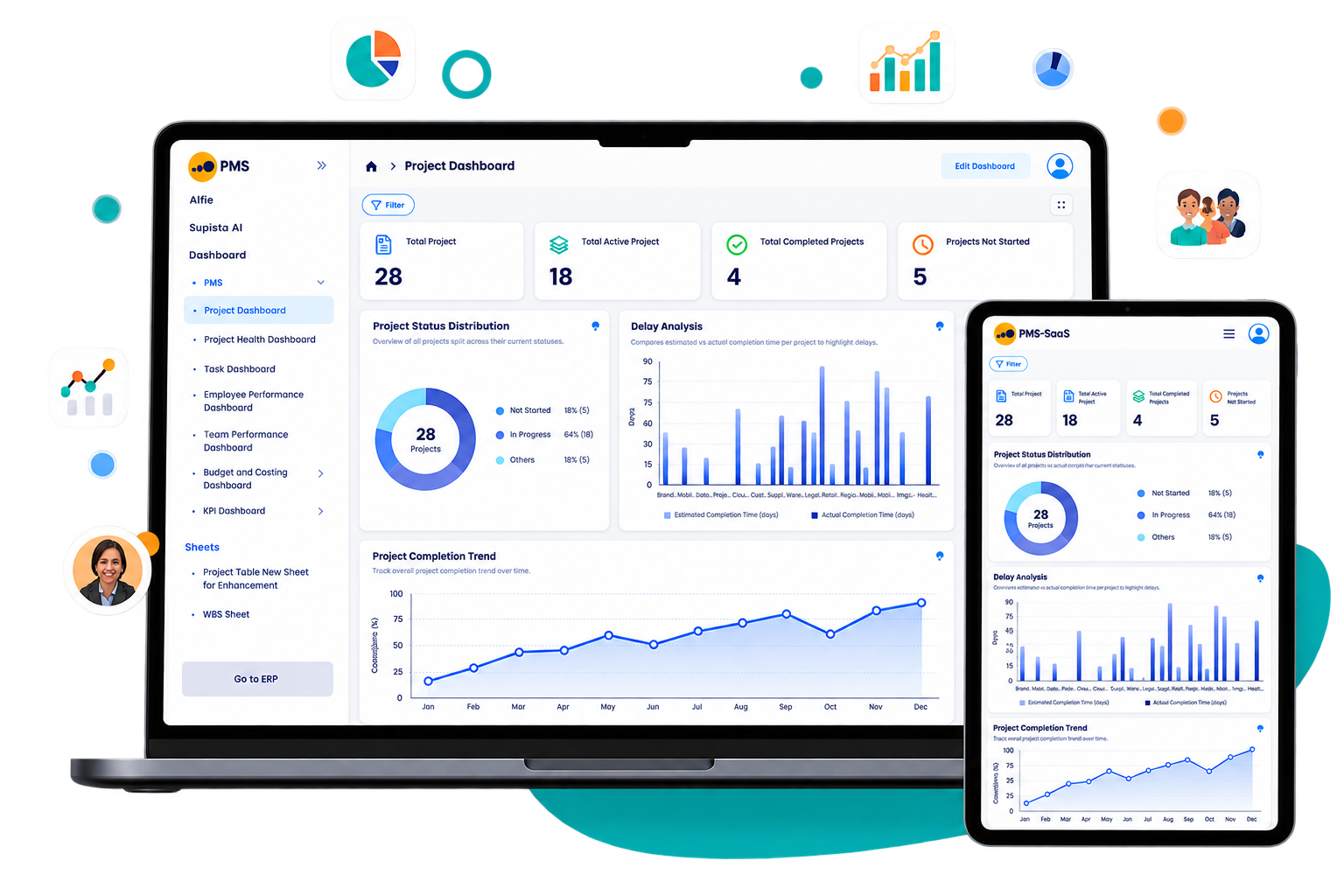
Current product view
Review the live project signals, workflows, and exceptions your team would use before choosing a platform.
Side-by-side
ClickUp lists Unlimited at US$7 and Business at US$12 per user monthly annually. Its paid AI products are separately priced from US$9 per user monthly.
| Feature | Supista Projects | ClickUp | Remarks |
|---|---|---|---|
| Published annual price | Included: US$2.96/user/month, billed annually | Included: US$7/user/monthUnlimited, billed annually | Supista has the lower published annual per-user rate for the displayed currency. |
| Task planning and views | Included: Tasks, dependencies, dashboards, workload, and delivery views | Included: Tasks, Gantt, boards, calendars, portfolios, and dashboards | Both provide strong project tracking; ClickUp adds broader workspace tools |
| Time and effort tracking | Included: Planned vs actual effort by task, user, and project | Included: Native time tracking on Unlimited | Both track effort; Supista links variance directly with cost and approval controls |
| Workflow automation | Included: Configured approvals, reminders, escalations, and handoffs | Included: Rules and automations with plan-specific usage limits | Both automate routine work; Supista includes configuration support |
| AI-assisted work | Included: Project questions and authorized actions in the published plan | Higher tier, add-on, or setup required: Paid Brain AI or Everything AI products | ClickUp offers broader AI options; Supista avoids a separate published AI seat charge |
| Budget control | Included: Budget vs actual spend built into project delivery | Higher tier, add-on, or setup required: Can be modeled with currency fields, formulas, and dashboards | Supista supplies the financial control directly instead of requiring a workspace model |
| Finance and procurement workflows | Included: Link purchases, suppliers, invoices, and budgets to project actions | Higher tier, add-on, or setup required: Connect external systems through integrations, API, or webhooks | Supista can run the project and connected operational workflow together |
| New operational module | Included: Create a module manually or with AI-assisted configuration | Higher tier, add-on, or setup required: Create Spaces, custom task types, fields, and integrations | ClickUp deeply configures workspaces; Supista can create a separate business module |
Want to verify the workflow? Watch the Master Data Setup tutorial .
US annual list prices were reviewed August 2026. Taxes, discounts, add-ons, usage charges, and seat minimums may change the total. Confirm the official checkout before buying.
Designed for SMB delivery
Start at US$2.96/user/month, billed annually.
Use AI-assisted project questions and actions without a separate published AI seat add-on.
Twenty initial setup hours configure approvals, handoffs, forms, and reports; AI supports later changes.
Keep costs, effort, permissions, approvals, reminders, and audit history centered on delivery.
Balanced strengths
Compare the practical strengths of each platform before deciding which operating model fits your team.
Make the trade-off explicit
Verified sources
Feature packaging changes. These official pages support the comparison and should be rechecked for a final quote.
Common questions
Supista combines a lower annual seat rate with 20 initial setup hours, AI-assisted customization, and focused cost, effort, approval, and workload controls.
Supista includes AI-assisted project work in its published plan. ClickUp lists Brain AI at US$9 and Everything AI at US$28 per user monthly in addition to its workspace plan.
Supista can replace ClickUp when your required workflows fit its project planning, cost, timesheet, approval, automation, RBAC, and reporting capabilities. Validate integrations and migration needs against a real project before switching.
The 20 hours are included once during initial setup at no extra charge. Use them to configure project and task forms, custom fields, workflows, role-based permissions, approval paths, automations, dashboards, and reports. The exact scope depends on complexity, and AI-assisted configuration can handle many ongoing changes afterward.
Yes. Supista combines project budgets, actual costs, timesheets, planned-versus-actual effort, and role-aware approvals in its published project plan.
Test the fit
Bring one approval, cost-control, or delivery process. See how it can work before you decide.
Book a free strategy session with our Automation Experts and discover how Supista’s AI-Composable ERP can transform your operations into a scalable and intelligent system.