
Lower entry cost
Start at US$2.96/user/month, billed annually.
Independent buying comparison
View Asana pricingAsana is a mature work-management platform. Supista gives smaller teams a lower seat price, included workflow configuration, and project financial controls in one plan.
Choose Supista when hands-on setup, cost control, and tailored approvals matter more than Asana's broader ecosystem and portfolio structure.
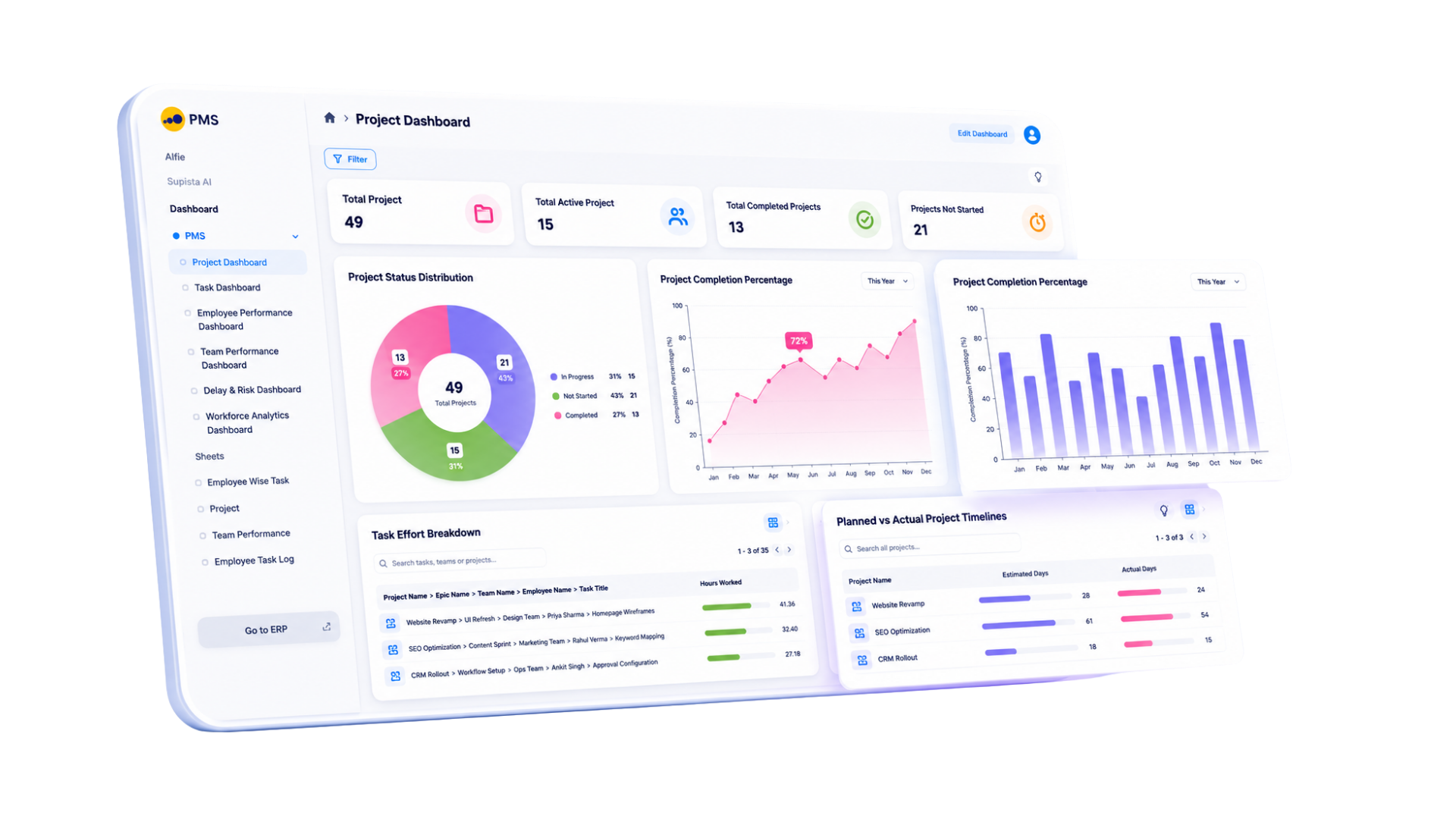
Current product view
Review the live project signals, workflows, and exceptions your team would use before choosing a platform.
Side-by-side
Asana lists Starter at US$10.99 and Advanced at US$24.99 per user monthly with annual billing. The India figure is an indicative local cost for its US-dollar plan.
| Feature | Supista Projects | Asana | Remarks |
|---|---|---|---|
| Published annual price | Included: US$2.96/user/month, billed annually | Included: US$10.99/user/monthStarter, billed annually | Supista has the lower published annual per-user rate for the displayed currency. |
| Task planning and views | Included: Tasks, dependencies, dashboards, workload, and delivery views | Included: List, board, calendar, timeline, Gantt, and dashboards | Both cover structured project planning; Asana offers a wider established view ecosystem |
| Workflow automation | Included: Reminders, escalations, approvals, handoffs, and recurring work | Included: Unlimited automations on Starter | Both automate work; Supista includes specialist configuration time |
| Approvals and workload | Included: Role-aware approvals and workload visibility in the project plan | Higher tier, add-on, or setup required: Approvals and workload require Advanced at US$24.99 | Supista includes these controls without moving to Asana Advanced |
| Budget and effort control | Included: Budget vs actual spend and planned vs actual effort | Higher tier, add-on, or setup required: Time tracking on Advanced; project budgets require an add-on | Supista keeps financial and effort variance inside the core project workflow |
| Hands-on customization | Included: 20 specialist hours during initial setup; ongoing changes can use AI-assisted configuration, with extra expert work available at US$20/hour | Higher tier, add-on, or setup required: Fields, forms, templates, and rules for self-configuration | Asana is flexible; Supista includes 20 specialist hours during initial setup and AI-assisted changes afterward |
| Finance and procurement workflows | Included: Connect project costs, purchases, invoices, and approvals to Supista modules | Higher tier, add-on, or setup required: Possible through third-party integrations or custom API work | Supista can keep operational records and project actions on one data layer |
| New operational module | Included: Create a module manually or with AI-assisted configuration | Higher tier, add-on, or setup required: Custom fields, task types, templates, and developer-built apps | Asana extends project work; Supista can add a complete operational module |
Want to verify the workflow? Watch the My Task tutorial .
US annual list prices were reviewed August 2026. Taxes, discounts, add-ons, usage charges, and seat minimums may change the total. Confirm the official checkout before buying.
Designed for SMB delivery
Start at US$2.96/user/month, billed annually.
Twenty initial setup hours align forms, stages, approvals, controls, and reports; AI supports later changes.
Track budget versus actual spend and planned versus actual effort beside delivery work.
Keep workload, approvals, effort, and cost visibility in the published project plan.
Balanced strengths
Compare the practical strengths of each platform before deciding which operating model fits your team.
Make the trade-off explicit
Verified sources
Feature packaging changes. These official pages support the comparison and should be rechecked for a final quote.
Common questions
At annual rates reviewed in August 2026, Supista starts at US$2.96/user/month, billed annually. Asana Starter lists US$10.99; its indicative India cost is ₹1,089 before GST.
Supista includes 20 initial setup hours, AI-assisted customization, and connected budgets, effort, approvals, and workload. Asana offers a broader ecosystem, while several controls require higher tiers.
Supista can replace Asana when your required workflows fit its project planning, cost, timesheet, approval, automation, RBAC, and reporting capabilities. Validate integrations and migration needs against a real project before switching.
The 20 hours are included once during initial setup at no extra charge. Use them to configure project and task forms, custom fields, workflows, role-based permissions, approval paths, automations, dashboards, and reports. The exact scope depends on complexity, and AI-assisted configuration can handle many ongoing changes afterward.
Yes. Supista combines project budgets, actual costs, timesheets, planned-versus-actual effort, and role-aware approvals in its published project plan.
Test the fit
Bring one approval, cost-control, or delivery process. See how it can work before you decide.
Book a free strategy session with our Automation Experts and discover how Supista’s AI-Composable ERP can transform your operations into a scalable and intelligent system.