
Quick answer
Key takeaways
- Baseline scope, cost, effort, and milestone dates before execution
- Capture actuals in Supista Projects as work and approvals happen
- Turn material variance into an owned recovery, reforecast, or change decision
Why project variance appears too late
Teams often keep the plan in one file, time records in another, and change decisions inside messages. Reconciliation then explains a delay or overspend only after the project has absorbed it.
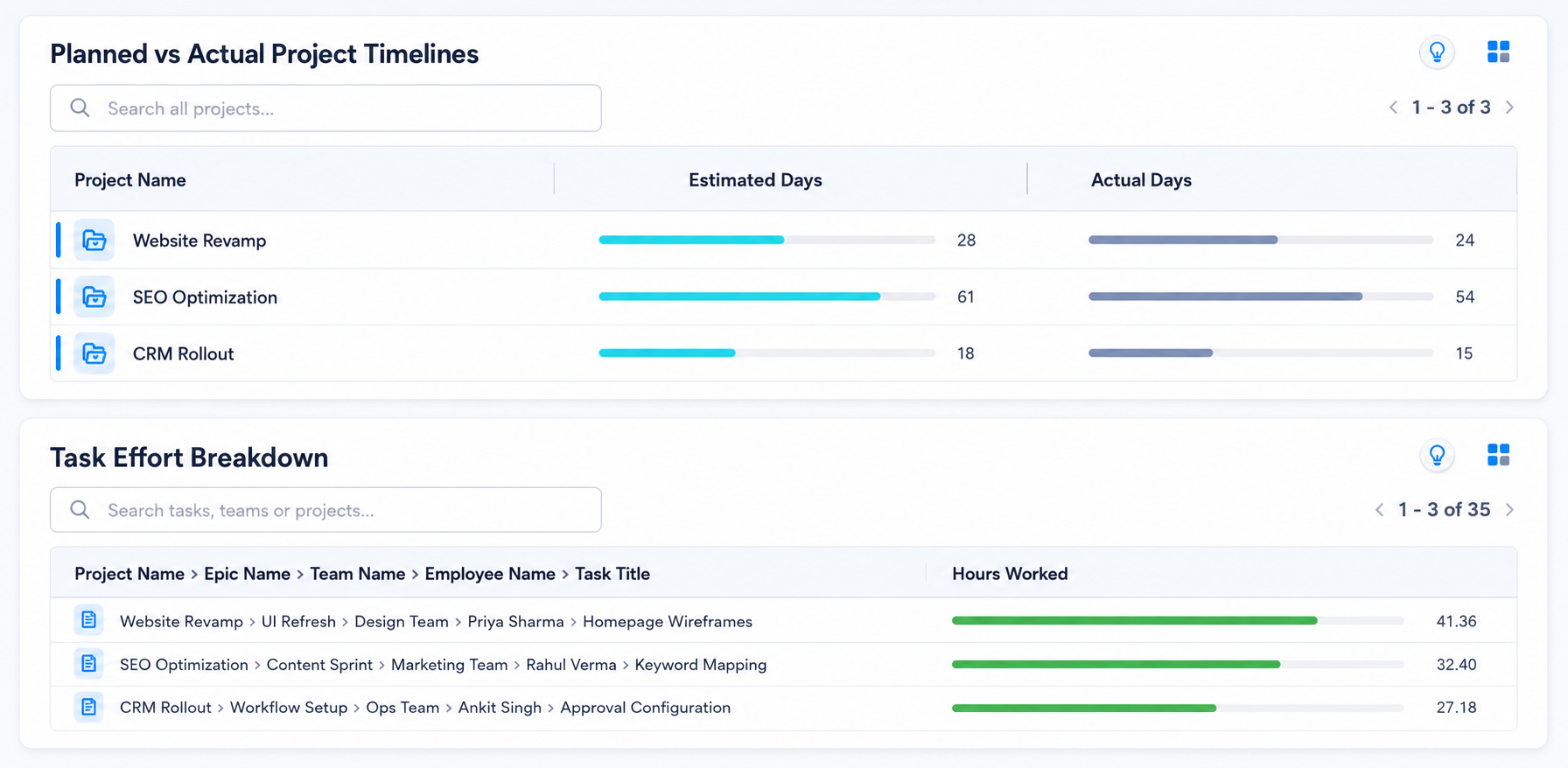
Supista Projects connects the approved baseline to current tasks, effort, spend, and dates. Teams can see the first meaningful deviation and its owner instead of documenting the final surprise.
Baseline the four values that drive delivery
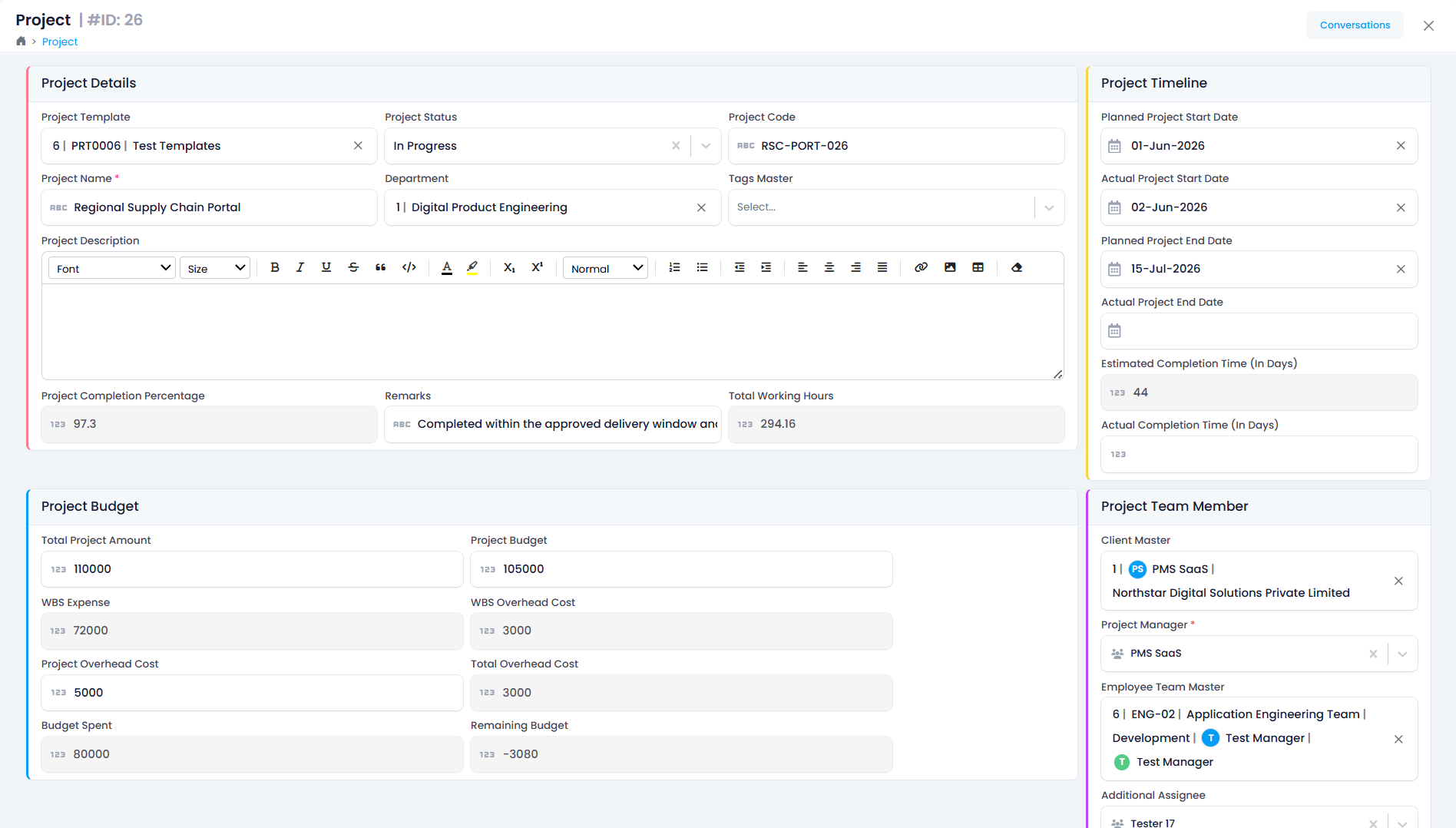
Create a versioned baseline before execution begins. Plans can change, but the original commitment, approved revision, and reason should remain visible.
- Scope and accepted deliverables
- Milestone and task dates
- Planned effort by role or owner
- Approved budget and cost categories
Turn every material variance into a workflow
Agree on thresholds before work starts. When variance crosses a threshold, Supista Projects can surface the exception with its owner, related task, current forecast, and approval context.
The response may be recovery, reallocation, reforecasting, or an approved baseline change. Keep the choice explicit so a future reviewer can separate delivery performance from authorized change.
- Detect the exception
- Explain the underlying change
- Assign a recovery action
- Approve any new commitment
- Track the revised forecast
Keep actuals close to execution
Make updates part of task completion, time capture, expense approval, and milestone review. The Supista Projects planned-versus-actual dashboard then reflects work without repeated spreadsheet requests.
- Capture effort against the task
- Link spend to the project
- Record milestone acceptance
- Route scope changes for approval
- Preserve baseline history
Clear answers
Frequently asked questions
What is planned versus actual tracking?
It compares the approved project baseline with current cost, effort, scope, and schedule performance so teams can identify and manage variance.
How often should project variance be reviewed?
Monitor it continuously and review material exceptions weekly. High-risk or fast-moving projects may need daily operational review.
Put the guide into practice
Control delivery without adding reporting work
Connect plans, owners, approvals, budgets, workloads, and risks in Supista Projects.