
Components
The Components section in Supista is where data tables are transformed into usable application interfaces. While data tables define how information is stored in the system, components define how that data is presented, accessed, and managed by users.
In simple terms, a data table stores the structure of information, while a component defines how that information appears and behaves inside the application.
Once components are configured, they can be attached to screens within modules, allowing users to interact with records through forms, lists, and other structured interfaces. Because of this, components act as the bridge between the database layer and the user interface layer of the platform.
Without components, the data stored in tables would remain inaccessible to users, since components provide the interaction layer that allows users to view, create, update, and manage records.
Accessing the Components Section
To manage or create components, open the Components section from the navigation panel.
Step 1: Open the left sidebar navigation panel.
Step 2: Click Components.
The system will open the Components dashboard, where all existing components in the workspace are displayed.
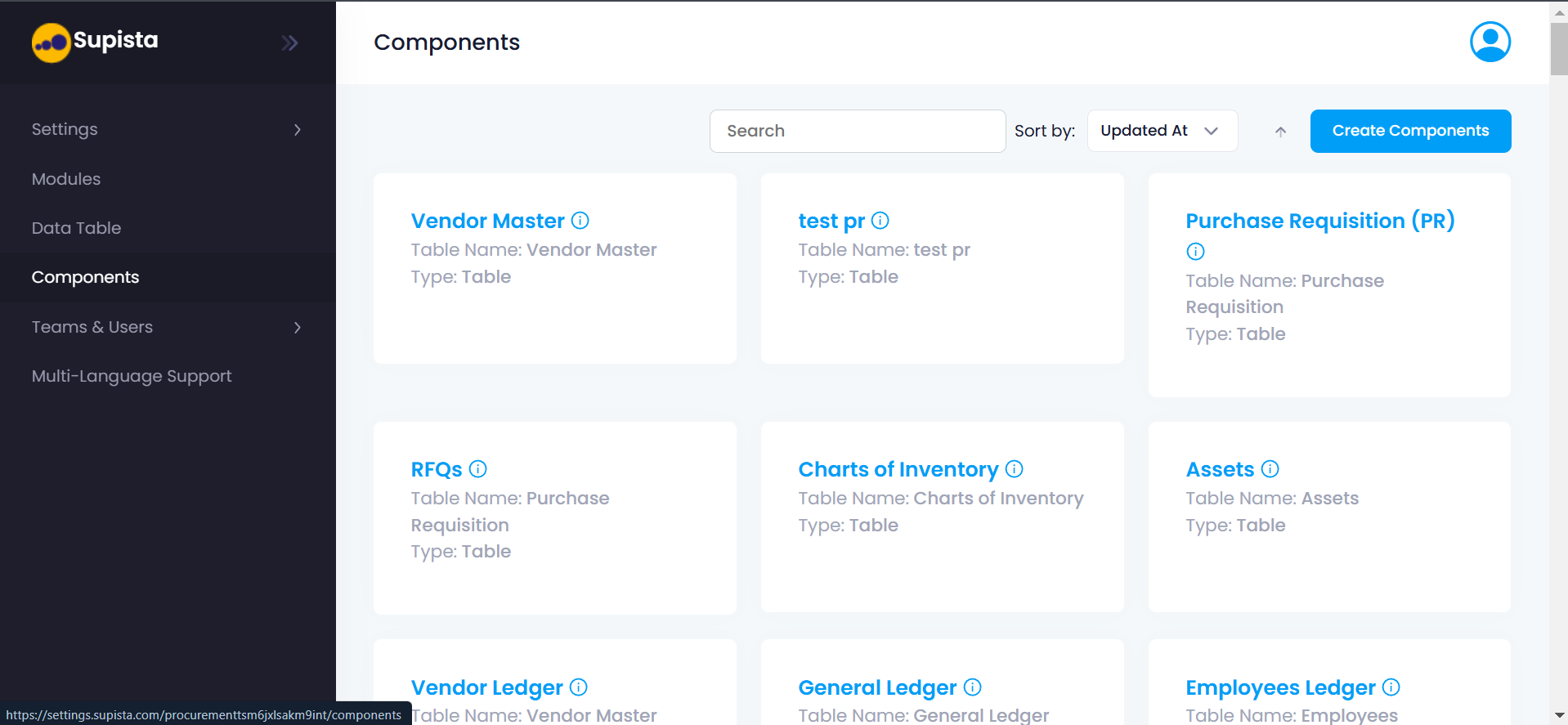
Components Dashboard
When the page loads, the platform displays all available components as cards arranged in a grid layout.
Each component card contains the following information:
- Component Name — The name used to identify the component within the system.
- Table Name — The data table connected to the component.
- Component Type — Indicates the type of component, such as a table-based component.
For example, a component named Vendor Master may be connected to the Vendor Master table, allowing users to manage vendor records through that interface.
Searching Components
At the top of the page, a Search bar is available.
This feature allows administrators to quickly locate a component by typing its name.
Steps to search for a component
Step 1: Click inside the Search field.
Step 2: Type the name of the component.
Step 3: The system filters and displays matching components.
This feature is especially useful when managing large applications with many configured components.
Sorting Components
Next to the search bar is the Sort By dropdown.
This option allows administrators to organize components based on specific criteria.
Examples include:
- Updated At – Shows recently modified components first
- Created At – Shows components based on creation time
- Name – Sorts components alphabetically
Sorting helps administrators quickly locate recently updated components or review newly created ones.
Creating a New Component
To create a new component, use the Create Components button located at the top-right corner of the page.
Step-by-Step Process
Step 1: Open the Components section from the sidebar.
Step 2: Click Create Components.
This action opens the component configuration interface, where administrators can define how a data table will be presented to users.
Within this interface, the administrator will configure:
- The data table connected to the component
- The fields that will appear in the interface
- The operations users can perform
- The behavior of records inside the component
Once configured, the component becomes available for use inside screens within modules, enabling users to interact with the underlying data.
Role of Components in Supista
Components play a central role in how applications operate inside the platform.
They serve several important purposes:
- Expose data stored in tables to users
- Define how records are displayed and edited
- Enable structured data entry and record management
- Provide the interface layer used inside modules
Because components control how data is presented and interacted with, they form the operational interface layer of the Supista platform.
Together with Data Tables and Modules, components help create a complete workflow system where data is structured, displayed, and managed efficiently.