
AI ERP Module
The AI ERP Module feature allows administrators to generate complete ERP modules automatically using AI-driven configuration. Instead of manually building the module hierarchy — including screen groups, screens, components, and data structures — the administrator provides structured instructions, and Supista generates the module architecture automatically.
This capability significantly reduces the time required to design complex ERP systems. It allows organizations to quickly create operational modules by describing their business requirements, data structure, and workflow logic.
The AI engine interprets these instructions and constructs a structured module containing screens, database entities, and workflow relationships.
Accessing the AI ERP Module Creator
Follow these steps to open the AI module generation interface.
Step 1: Open the left navigation sidebar.
Step 2: Click Modules.
Step 3: On the Modules page, click AI ERP Module.
The AI-Powered ERP Module Creator interface will appear as a modal window.
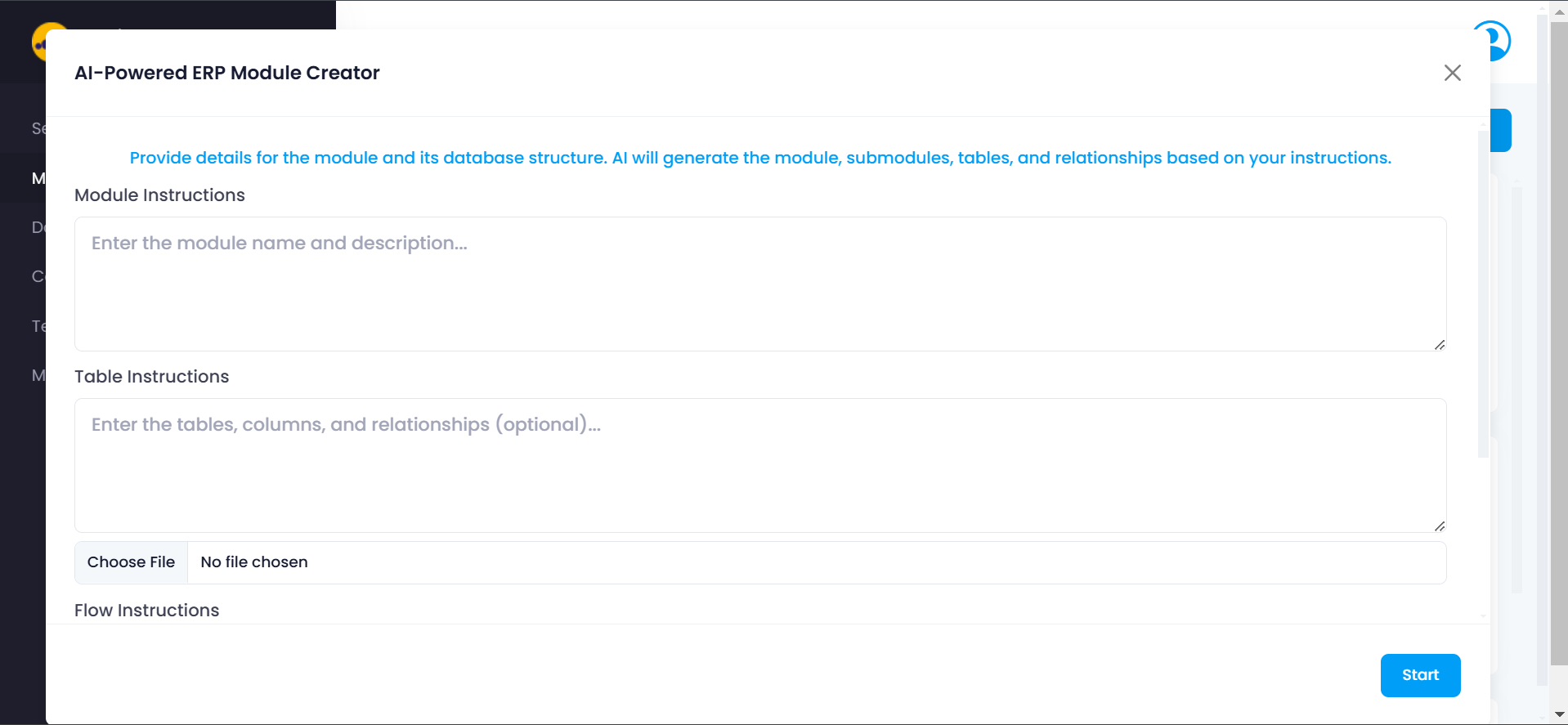
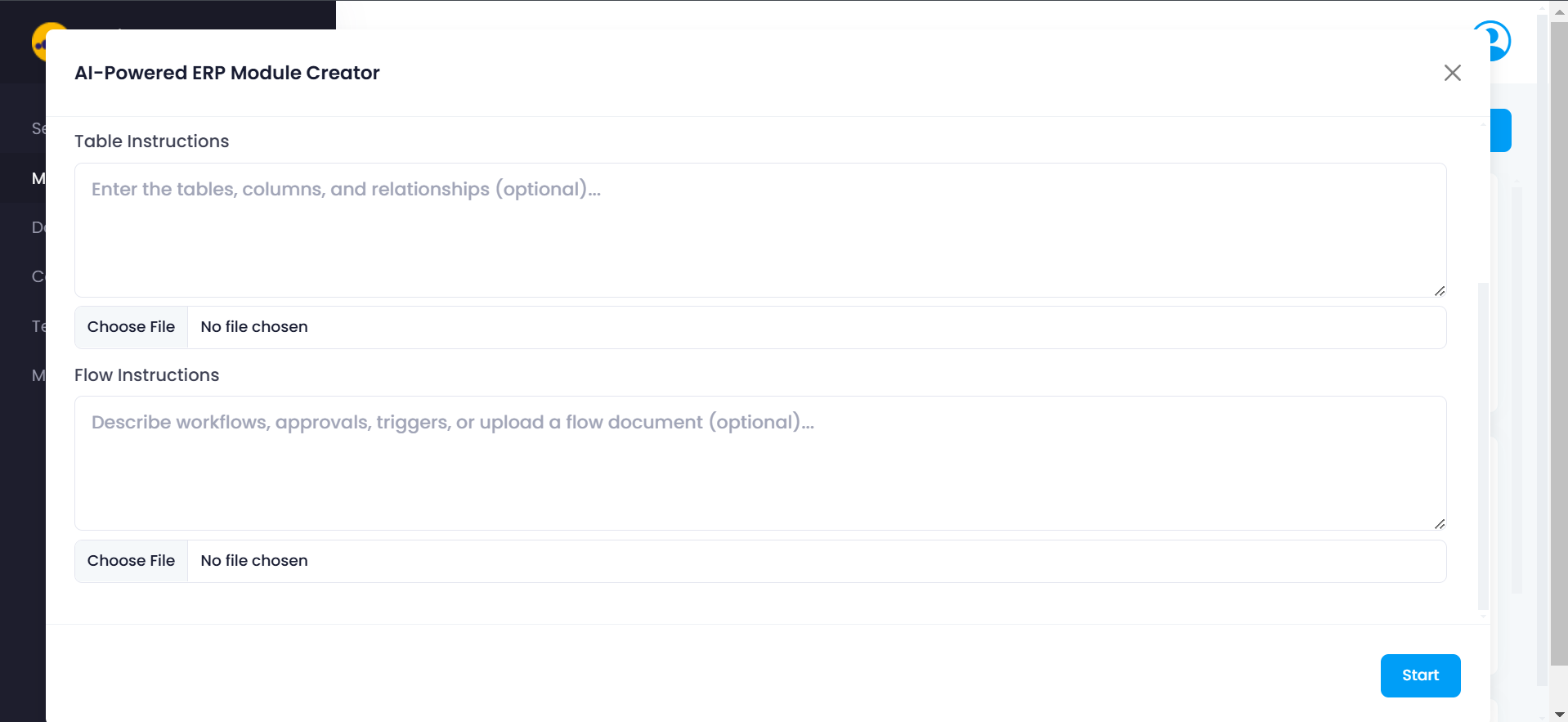
This interface allows administrators to define the module using structured instructions.
AI Module Creator Interface
The AI module creator interface is divided into three main instruction sections:
- Module Instructions
- Table Instructions
- Flow Instructions
Each section provides the AI system with information required to generate a functional ERP module.
Module Instructions
The Module Instructions section is used to describe the overall purpose and scope of the module.
This description helps the AI understand:
- What business function the module supports
- What operations users will perform
- What entities or records will be managed
The more clearly the module purpose is described, the more accurately the AI can generate the required structure.
What to Include in Module Instructions
Administrators should describe:
- The business domain of the module
- The types of records the module manages
- The key operations users perform
- The overall workflow of the module
Example Module Instruction
Example instruction:
Create a Procurement Management module that manages vendor onboarding,
purchase requests, purchase orders, approval workflows, and procurement reporting.
The system should allow users to create purchase requests, route them for approval,
and convert approved requests into purchase orders.
Based on this description, the AI may generate:
- A Procurement Management module
- Screen groups such as Vendor Management, Purchase Orders, and Approvals
- Screens such as Vendor Master, Purchase Request, and Purchase Order Tracking
Table Instructions
The Table Instructions section allows administrators to define database-level structure for the module.
While this step is optional, it greatly improves the accuracy of the generated module.
By specifying table structures, administrators provide the AI with a detailed understanding of the data model required for the module.
Example Table Instructions
Create tables for Vendors, PurchaseRequests, and PurchaseOrders.

Vendors table:
VendorID (Primary Key)
VendorName
ContactNumber
Email
Status

PurchaseRequests table:
RequestID (Primary Key)
RequestedBy
Department
RequestDate
TotalAmount
Status

PurchaseOrders table:
POID (Primary Key)
VendorID (Foreign Key)
RequestID (Foreign Key)
OrderDate
TotalAmount
Status
Flow Instructions
The Flow Instructions section defines the business workflows and operational logic for the module.
This allows the administrator to describe how processes should behave within the ERP system.
Administrators may describe:
- Approval hierarchies
- Status transitions
- Business rules
- Automated triggers
- Notifications
- Conditional logic
Example Flow Instruction
Purchase requests below 10,000 require department manager approval.
Requests above 10,000 require finance approval.
After approval, the request should automatically convert into a purchase order.
If rejected, the request status should change to Rejected and notify the requester.
Selecting Components
After the module structure and logic are defined, administrators can attach components that will power the generated screens.
Step 1: Click Select Components. Step 2: The Components Selection window will appear.
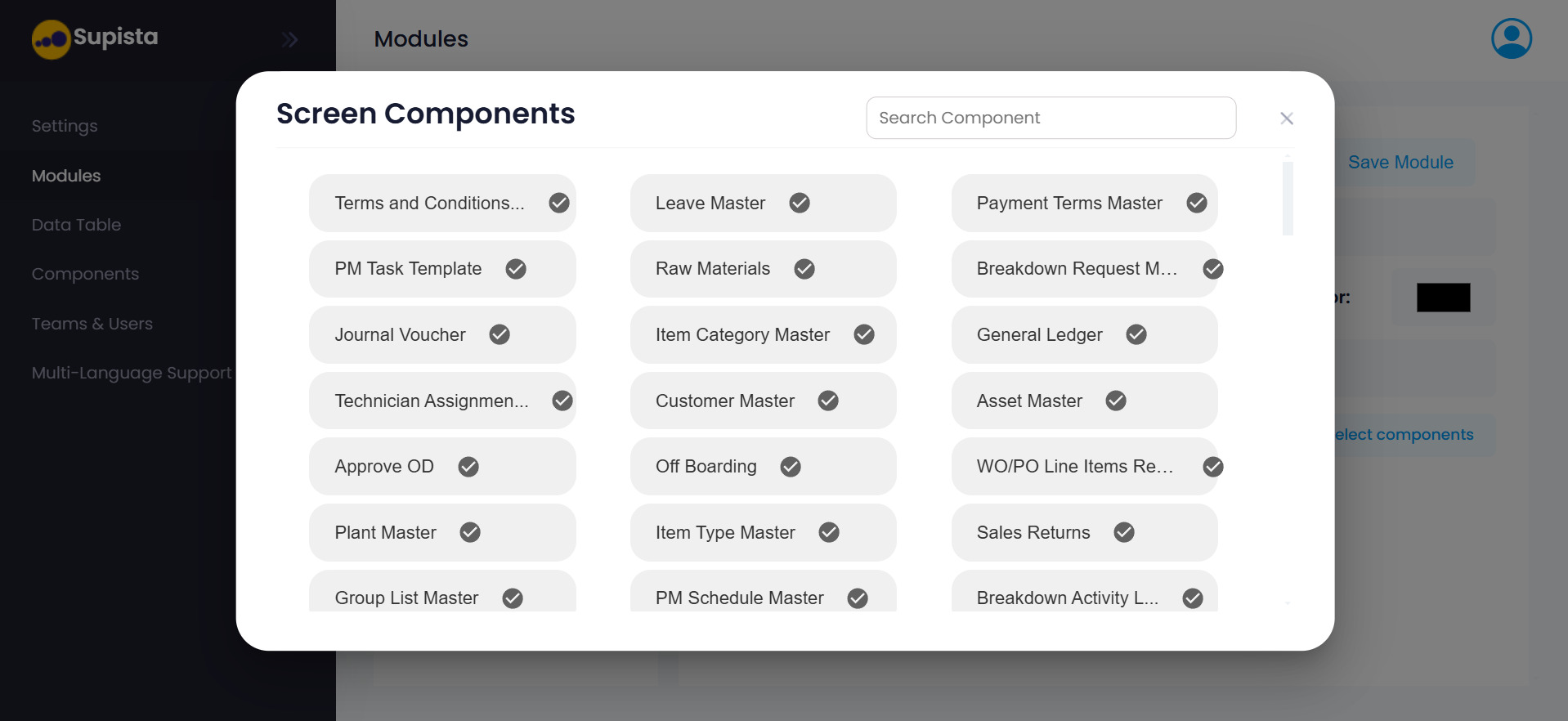
This interface displays all available components within the system.
Each component represents a data entity or functional element that can be attached to screens generated by the AI module.
Administrators can:
- Browse the list of available components
- Search for specific components using the search bar
- Select multiple components required for the module
Once the required components are selected, they will be attached to the screens created within the module.
Starting the AI Module Generation
Once all instructions are entered and components are selected:
Step 1: Review the instructions entered in each section. Step 2: Click Start.
The AI system will process the instructions and automatically construct the module.
What the AI Generates
Based on the instructions provided, Supista automatically generates:
- The module structure
- Screen groups
- Screens
- Database tables
- Relationships between entities
- Components linked to data structures
- Workflow logic
The generated module will then appear in the Modules dashboard and can be further customized if required.
Benefits of AI ERP Module Creation
The AI module creator offers several advantages:
- Rapid module creation for complex ERP systems
- Reduced manual configuration effort
- Automatic generation of structured architectures
- Alignment between data models and business workflows
This feature is especially useful when organizations need to build large ERP systems with many interconnected processes.
Summary
The AI ERP Module Creator enables administrators to design ERP modules simply by describing their business logic, data structures, and workflows.
Using these instructions, Supista automatically generates a structured module containing screens, data models, and process flows.
This approach allows organizations to move from concept to implementation quickly while maintaining structured ERP architecture.