
Dependencies live outside the plan
Material, drawing and client approvals sit in separate trackers. An activity reaches its planned start date without a workable front.
EPC project planning and scheduling software
Built for planning engineers, project managers and project directors. Relate the WBS baseline to current progress, materials, approvals, subcontract dependencies and corrective actions while retaining professional scheduling judgement.
What is epc project planning and scheduling software? EPC project planning and scheduling software connects the work breakdown structure (WBS), activities, milestones, owners and dependencies with live execution records. It helps teams compare planned and actual progress and expose material, approval or subcontract constraints; specialist planning logic and forecasts remain the planner’s responsibility.
The operational problem
Material, drawing and client approvals sit in separate trackers. An activity reaches its planned start date without a workable front.
Teams report percentages through calls and presentations without activity-level quantities or evidence. Planned-versus-actual views become difficult to trust.
Slippage is visible, but the cause, responsible owner and recovery action are absent. The same blocker returns in the next review.
Connected EPC records
Activities retain their owners and dependencies while current records show whether materials, approvals, subcontractors and site progress support the plan. The result is an operating view beside—not a substitute for—the specialist schedule.
Core capabilities
Structure activities under controlled project and work-package context. Keep reporting aligned to how delivery responsibility is organised.
Record planned start, finish and accountable roles. Make late handoffs and unowned work visible.
Relate predecessor work and configured operational dependencies. Explain why a workfront is not ready beyond a date alone.
Connect approved activity updates with quantities, DPRs or supporting records. Improve the basis for planned-versus-actual review.
Record the stated reason, impact and responsible follow-up. Preserve context for later management and claim review.
Assign actions and target dates against identified constraints. Keep recovery work visible until resolved.
Bring delayed activities and missing readiness records into focused views. Let planners investigate before updating forecasts.
Product walkthrough
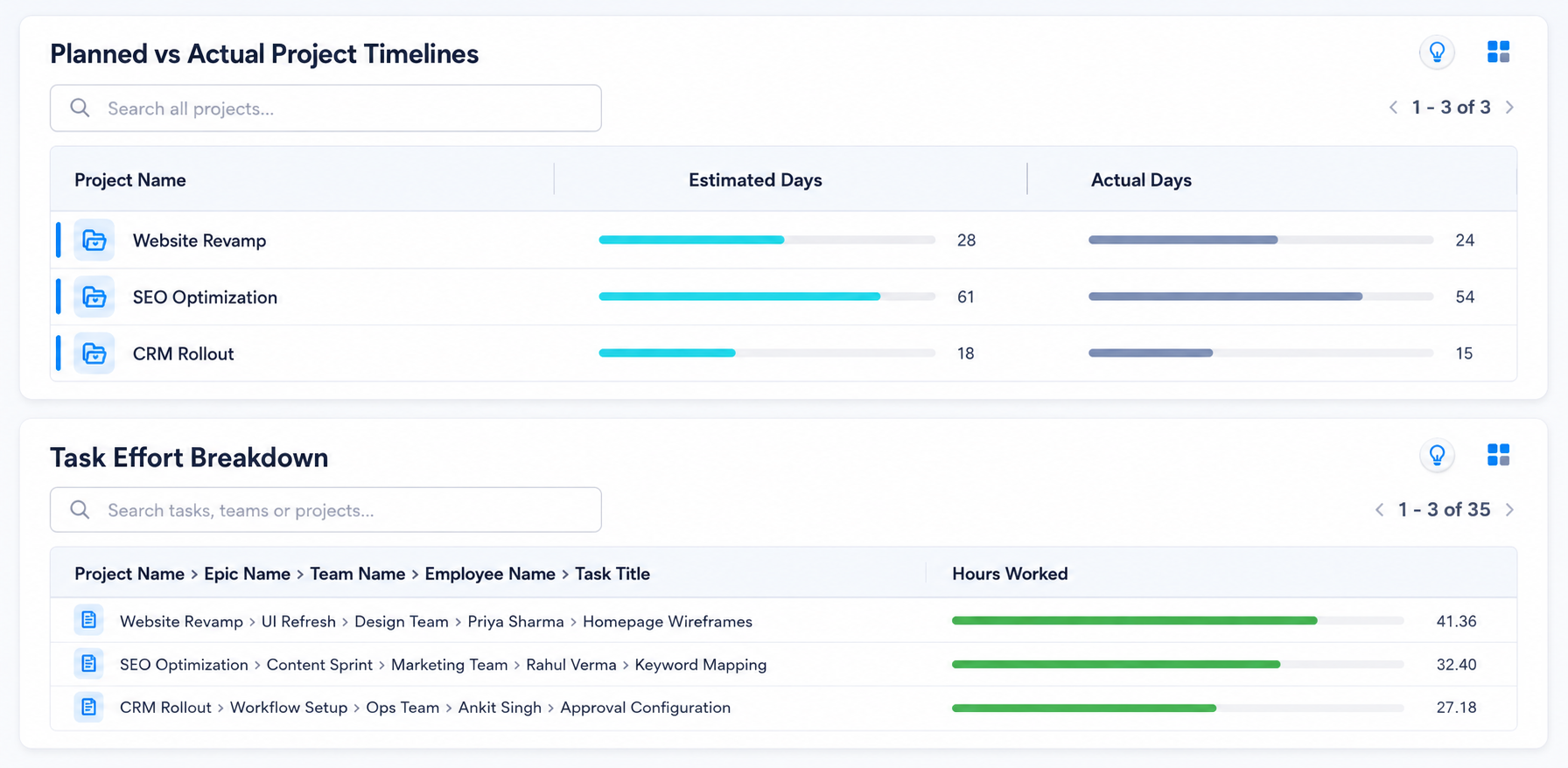
The dashboard highlights variance; planners still validate logic, causes and forecast impact using professional judgement.
Operational takeawayThe view gives authorised teams a shared record for the next decision; it does not replace physical verification or professional judgement.
Feature workflow
Role-based value
Review activity progress, dependencies, delay reasons and available execution evidence.
See which near-term milestones lack material, approval or subcontract readiness.
Update actual work against the correct activity and report blockers.
Focus reviews on schedule exposure, accountable owners and recovery actions.
Lois AI in this workflow
Lois works with permitted Supista data and does not bypass configured validations, permissions or approvals.
“Which activities could delay next month’s milestones?”
“Show activities waiting for materials or approvals.”
“Draft the weekly schedule-risk summary.”
Connected EPC lifecycle
Proof and deployment confidence
Supista connects schedule context with project records and configurable reviews. Specialist scheduling tools, baseline governance, critical-path interpretation and recovery forecasts remain with qualified project professionals.
Buyer questions
It connects WBS activities, milestones, owners and dependencies with progress and operational readiness records for planned-versus-actual control.
No. It provides connected operational context. Detailed scheduling logic, critical-path analysis and professional forecasts remain with the project’s planning approach and qualified users.
Yes. Supported configurations can relate upcoming activities to available material, purchase, approval and subcontract readiness records.
Where configured, activity progress can reference Daily Project Report entries, quantities and evidence so reviewers can inspect the reporting basis.
Yes. Teams can record delay context, responsible owners, target dates and follow-up actions within the project workflow.
Lois summarises permitted dates, progress and dependency records. A planner must review the result; Lois does not bypass controls or make professional scheduling decisions.
Use a real workflow
Bring a WBS, milestone plan or delayed workfront. We’ll show how progress, materials, approvals and accountable actions can sit beside the schedule.
Book a free strategy session with our Automation Experts and discover how Supista’s AI-Composable ERP can transform your operations into a scalable and intelligent system.