
Qualification is scattered
Registrations, tax records and technical documents sit in folders or inboxes. Buyers cannot quickly confirm what is current, missing or expired.
EPC vendor management software
Built for procurement managers and commercial approvers. Maintain governed vendor master records, documents and categories, then review sourcing, order and delivery history without confusing vendor data with procurement transactions.
What is epc vendor management software? EPC vendor management software maintains the governed vendor master: identity, categories, qualification fields, compliance documents, expiry dates and role-restricted records. It connects that master with RFQs, quotations, purchase orders, pending deliveries and recorded performance inputs, while each procurement transaction remains a separate controlled record.
The operational problem
Registrations, tax records and technical documents sit in folders or inboxes. Buyers cannot quickly confirm what is current, missing or expired.
A new package starts with a fresh spreadsheet. Teams overlook previous quotations, late deliveries or unresolved issues already recorded elsewhere.
Sensitive bank, commercial or compliance information is shared outside the roles that need it. Governance weakens even when buying steps are approved.
Connected EPC records
The vendor master supplies approved identity, category and document context. RFQs, quotations, orders, receipts and issues then build transaction history without changing the underlying master informally.
Core capabilities
Capture defined identity, contact and registration details. Give master-data owners a consistent record to review.
Configure commercial or technical information required by category. Keep qualification decisions with authorised reviewers.
Record document references and expiry dates where required. Make missing or expiring records visible for follow-up.
Organise vendors by supplied material, service or project need. Help buyers find relevant records without treating category as automatic approval.
View RFQ invitations, captured quotations and comparison context. Understand prior participation before starting the next event.
Review purchase-order and pending-delivery context linked to the vendor. Give follow-up conversations an evidence base.
Apply role permissions to sensitive vendor information and actions. Prevent convenience from overriding data governance.
Product walkthrough
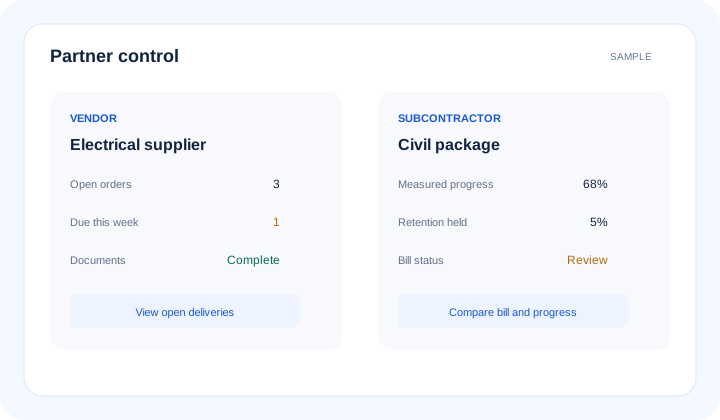
Master data stays controlled while sourcing and delivery records provide context for authorised decisions.
Operational takeawayThe view gives authorised teams a shared record for the next decision; it does not replace physical verification or professional judgement.
Feature workflow
Role-based value
Review qualifications, open deliveries and prior sourcing context before inviting vendors.
See controlled vendor and quotation evidence behind a proposed award.
Relate delivery issues and pending quantities to the correct vendor and PO.
Control duplicates, documents, categories and access to sensitive fields.
Lois AI in this workflow
Lois works with permitted Supista data and does not bypass configured validations, permissions or approvals.
“Show electrical vendors with current required documents.”
“Which vendors have open deliveries for Site B?”
“Summarise this vendor’s recorded project history.”
Connected EPC lifecycle
Proof and deployment confidence
Configure vendor fields, categories, document requirements and role permissions around the approved onboarding policy. ISO/IEC 27001-certified controls support information security; commercial qualification remains an authorised business decision.
Buyer questions
It maintains vendor master, qualification, category and document records and connects them with authorised procurement and delivery history.
Vendor management governs who the vendor is and what master information is approved. Procurement records each RFQ, quotation, order, receipt, invoice and approval separately.
Document references, required fields and validity dates can be configured so authorised teams can identify missing or expiring records.
No. History informs authorised reviewers. Technical suitability, commercial evaluation and approval remain professional and organisational decisions.
Yes. Role-based permissions can control which users see or change vendor information and which actions they may perform.
No public-vendor discovery is claimed. Lois works with permitted Supista records and does not bypass configured validations, permissions or approvals.
Use a real workflow
Bring your onboarding checklist, category structure or current vendor register. We’ll show how master governance and procurement history can work together.
Book a free strategy session with our Automation Experts and discover how Supista’s AI-Composable ERP can transform your operations into a scalable and intelligent system.