
Progress arrives too late
Site updates sit in calls, messages and separate Daily Project Reports. The baseline remains unchanged, so leaders discover slippage after a milestone is missed.
EPC project management software
Built for project directors, project managers and EPC business leaders. Connect planning, site execution, procurement, cost and billing around the same project so teams see risk, ownership and next actions early.
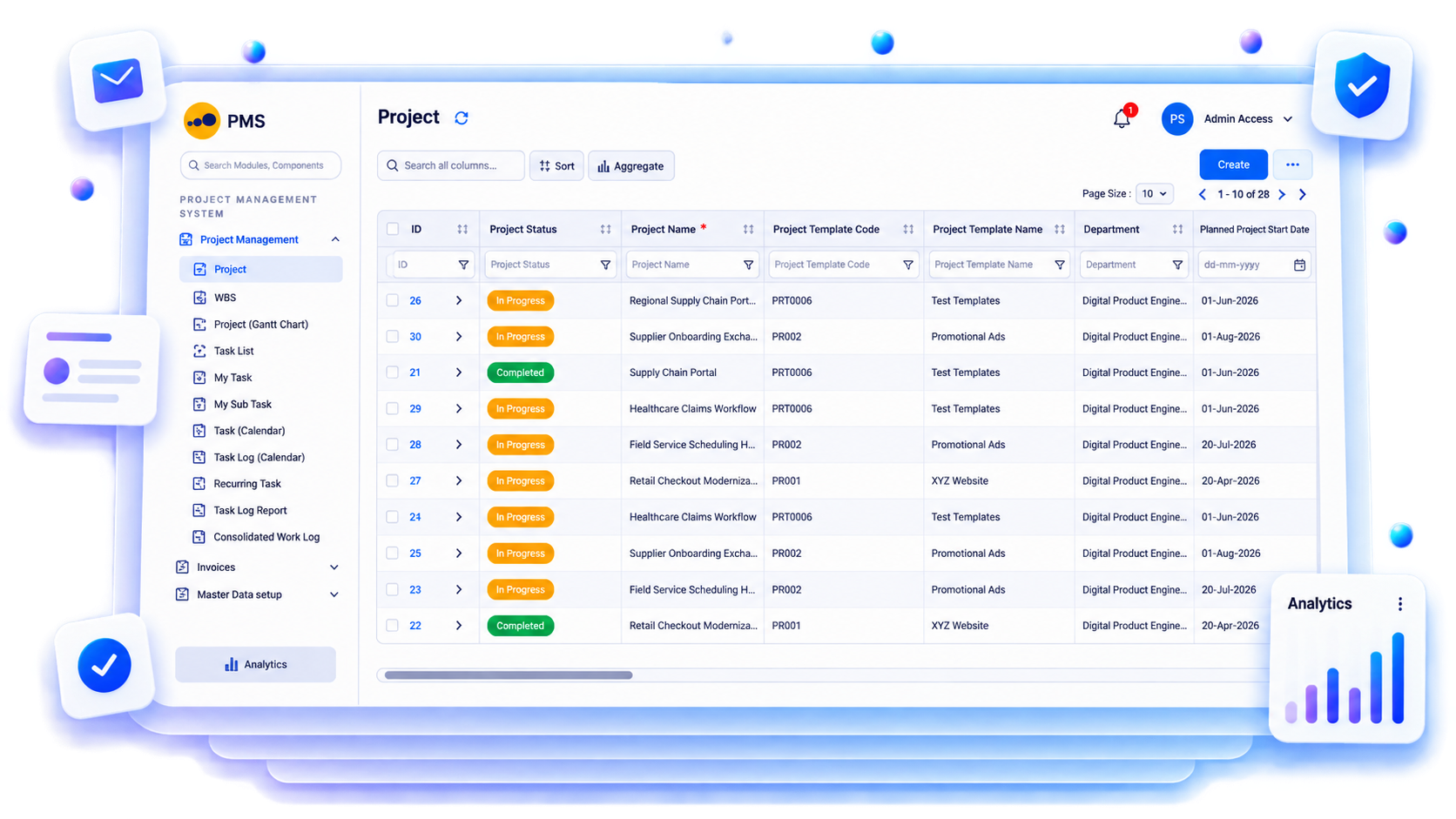
What is epc project management software? EPC project management software connects the work breakdown structure (WBS), activities, site progress, materials, procurement, costs and billing in one project record. It gives delivery teams a current view of planned work, actual progress, blockers and commercial exposure without replacing engineering or project leadership judgement.
The operational problem
Site updates sit in calls, messages and separate Daily Project Reports. The baseline remains unchanged, so leaders discover slippage after a milestone is missed.
An activity has dates and an owner, but drawings, approvals, materials or subcontractors are unavailable. Crews wait and corrective action starts late.
Purchase orders, expenses and bills move without a clear work-package view. Management sees an overrun but cannot quickly locate its operational cause.
Connected EPC records
The project record provides common context for the plan, daily site facts and commercial transactions. Teams can move from a delayed milestone to the activity, material requirement, purchase status, expense or bill behind it.
Core capabilities
Organise phases, WBS elements, work packages and activities with accountable owners. Prevent teams from reporting against inconsistent project structures.
Record planned dates, dependencies and responsible roles. Review what changed before a downstream milestone is affected.
Compare baseline progress with approved site updates and quantities. Focus reviews on the packages where actual execution is falling behind.
Relate DPR entries, photos, manpower, equipment and blockers to current work. Keep a usable record behind each reported update.
View material requirements, purchase status and site availability beside upcoming work. Identify workfronts that need action before crews mobilise.
Review BOQ, budget, commitments, expenses and billing in project context. Trace an exception to the source record instead of rebuilding a spreadsheet.
Record blockers, owners, target dates and follow-ups. Make unresolved constraints visible in the next project review.
Give leaders, project teams, procurement and finance views suited to their responsibilities. Preserve role-based access to underlying records.
Product walkthrough
Review status, ownership and project records in one workspace, then open the source information requiring action.
Operational takeawayThe view gives authorised teams a shared record for the next decision; it does not replace physical verification or professional judgement.
Feature workflow
Role-based value
Compare schedule, cost, material and billing exposure across active projects.
Control milestones, work packages, dependencies, blockers and accountable actions.
Report progress and evidence against the correct activity from site.
Relate physical progress to commitments, cost, billing and collections.
Lois AI in this workflow
Lois works with permitted Supista data and does not bypass configured validations, permissions or approvals.
“Which activities may miss this week’s milestones?”
“Show workfronts waiting for materials or approvals.”
“Prepare today’s management project summary.”
Connected EPC lifecycle
Proof and deployment confidence
Start with one live project, its WBS, reporting formats, roles and approvals. Supista supports configurable workflows, role-based access, mobile-friendly reporting and ISO/IEC 27001-certified information-security controls.
Buyer questions
EPC project management software connects WBS planning, site execution, procurement, materials, costs and billing so delivery teams can control schedule and budget from one project record.
Yes. Teams can structure projects into WBS elements, work packages and activities, assign owners, set dates and maintain milestone and dependency context.
Yes. Project views can relate upcoming activities to available requirement, approval, purchase, receipt and blocker records so managers can identify workfronts needing action.
No. Supista connects planning context with operational records. Planners, engineers and authorised project leaders remain responsible for baselines, forecasts and professional decisions.
Mobile-friendly workflows can let authorised site users record progress, quantities, blockers, expenses and supporting evidence, subject to the configured implementation.
Lois can summarise permitted project records and prepare supported drafts. Users review the result, while configured validations, permissions and approvals continue to apply.
Use a real workflow
Bring your WBS, progress format or current project-control challenge. We’ll show how planning, site execution, procurement, cost and billing can share controlled project context.
Book a free strategy session with our Automation Experts and discover how Supista’s AI-Composable ERP can transform your operations into a scalable and intelligent system.